<?xml version="1.0" encoding="utf-8"?><feed xmlns="http://www.w3.org/2005/Atom" ><generator uri="https://jekyllrb.com/" version="3.10.0">Jekyll</generator><link href="https://tonym128.github.io/feed.xml" rel="self" type="application/atom+xml" /><link href="https://tonym128.github.io/" rel="alternate" type="text/html" /><updated>2026-06-22T03:40:28+00:00</updated><id>https://tonym128.github.io/feed.xml</id><title type="html">ttech | Technology Adventures</title><subtitle>I endeavour to show technology adventures in new, upcoming and unexplored things.  Being an avid fan of technology in my personal and professional life. I like to explore the latest and greatest tech, preferably in the Open Source space.  Also on the radar are gaming technology and most things to do with graphics and some hardware tinkering on the side.</subtitle><author><name>Tony Mamacos</name></author><entry><title type="html">Promptyly: Vibe Coding Local Apps with Git and Hot-Reloading</title><link href="https://tonym128.github.io/2026/06/21/promptyly-prompt-driven-single-page-apps-with-git-and-hot-reload.html" rel="alternate" type="text/html" title="Promptyly: Vibe Coding Local Apps with Git and Hot-Reloading" /><published>2026-06-21T02:00:00+00:00</published><updated>2026-06-21T02:00:00+00:00</updated><id>https://tonym128.github.io/2026/06/21/promptyly-prompt-driven-single-page-apps-with-git-and-hot-reload</id><content type="html" xml:base="https://tonym128.github.io/2026/06/21/promptyly-prompt-driven-single-page-apps-with-git-and-hot-reload.html"><![CDATA[<h1 id="promptyly-tldr">Promptyly tldr;</h1>

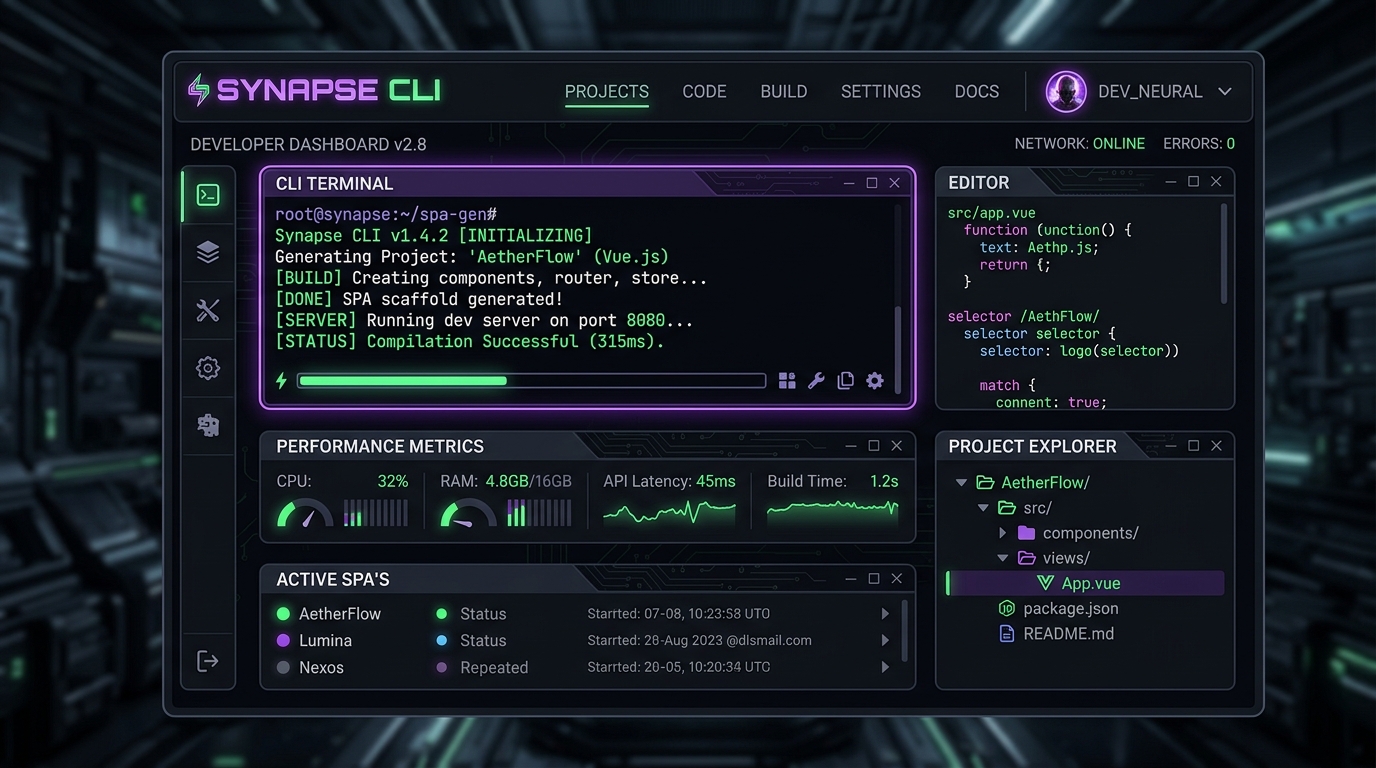
<p><img src="/images/2026/06/promptyly-teaser-opt.jpg" alt="Promptyly main dashboard showing the registry of local apps" title="Promptyly Dashboard" /></p>

<p>I built a cross-platform command-line tool and local server that lets you turn prompts into single-page web applications instantly. They run locally, they have automatic Git version control, hot reloading, a built-in state database, and can be easily shared or published.</p>

<p>Take a look at the code - <a href="https://github.com/tonym128/promptyly">Code</a> or watch the <a href="https://youtu.be/iRDXM13fzwc">Intro Video</a></p>

<p>After going deep into AI-driven generation and building things like <a href="/_posts/2025-12-29-peakylight-post-mortem.markdown">Peakylight</a>, I realized that the loop of typing prompts into a browser chat window, copy-pasting code into a local file, and refreshing the page was driving me crazy.</p>

<p>So, I decided to build a developer tool to make vibe coding feel truly native.</p>

<blockquote>
  <p><strong>Special Thanks:</strong> A huge thank you to <strong>Mr Bob</strong> for his beta testing and ideation!</p>
</blockquote>

<hr />

<h2 id="the-problem-the-copy-paste-loop-of-doom">The Problem: The Copy-Paste Loop of Doom</h2>

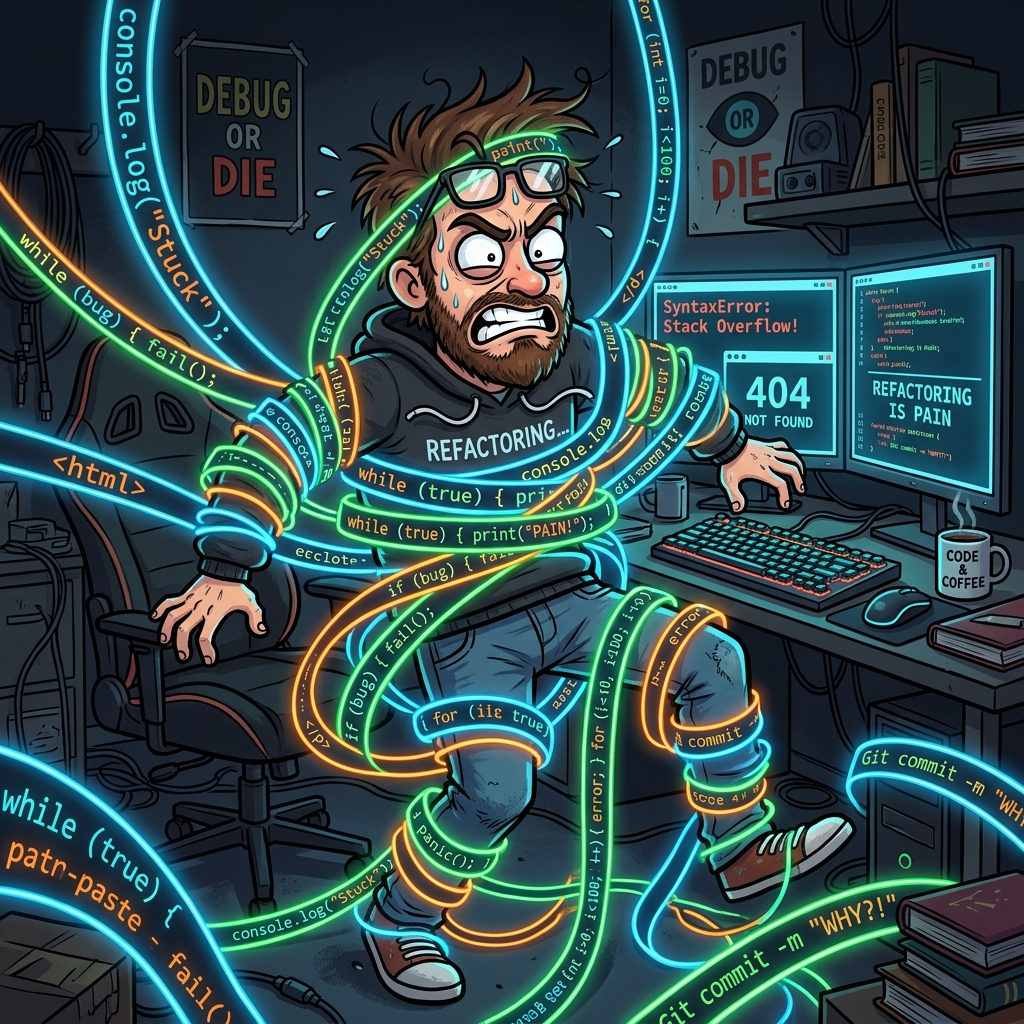
<p><img src="/images/2026/06/copypaste-struggle-opt.jpg" alt="Frustrated developer tangled in copy-paste strings of code" title="The Copy-Paste Struggle is Real" /></p>

<p>AI models (Gemini, Claude, GPT-4o) are amazing at spitting out complete HTML pages containing CSS, Javascript, and fully functional interactive mockups.</p>

<p>But actually working on them is a drag:</p>
<ol>
  <li>You prompt the LLM: <em>“Write me a Pomodoro timer with ambient rain sounds.”</em></li>
  <li>It outputs 400 lines of HTML/JS/CSS.</li>
  <li>You copy it, create <code class="language-plaintext highlighter-rouge">index.html</code>, paste it, double-click it. It looks good!</li>
  <li>You want to make a change: <em>“Add a dark mode toggle and task list.”</em></li>
  <li>It outputs another 500 lines. You copy it, select all, paste it, refresh.</li>
  <li>The styling broke, or a script failed, and now you have no version history to see what changed.</li>
</ol>

<p>The developer-to-editor feedback loop is broken when you’re writing code through chat windows. There’s no history, no easy local state, and no hot reloading. I wanted to build a “Neuralink” for my local project folder.</p>

<hr />

<h2 id="the-approach-a-custom-deep-link-protocol--local-server">The Approach: A Custom Deep Link Protocol &amp; Local Server</h2>

<p><img src="/images/2026/06/brain-connector-opt.jpg" alt="Circuit brain connected to a terminal prompt screen" title="The Neuralink between LLM and CLI" /></p>

<p>I decided to write <strong>Promptyly</strong> in Go. Why Go? Because I wanted a single, lightweight binary that starts instantly and can handle background servers, custom OS protocols, and git operations without dragging in a heavy runtime.</p>

<p>Here’s how the stack works:</p>

<h3 id="1-the-custom-prompt-scheme">1. The custom <code class="language-plaintext highlighter-rouge">prompt://</code> scheme</h3>
<p>Promptyly registers a custom protocol handler with the OS (macOS, Windows, and Linux). Clicking a link like <code class="language-plaintext highlighter-rouge">prompt://create?prompt=Sleek+Calculator</code> launches the local <code class="language-plaintext highlighter-rouge">promptyly</code> CLI, parses the arguments, and fires up the generation pipeline automatically.</p>

<h3 id="2-git-backed-generations">2. Git-Backed Generations</h3>
<p>Every app you create is initialized in <code class="language-plaintext highlighter-rouge">~/promptyly-apps/&lt;slug&gt;</code> as a local Git repository. Every time you issue an edit instruction via the CLI terminal, the new code is generated, written to disk, and committed to Git automatically. If the model goes off the rails, you can easily check <code class="language-plaintext highlighter-rouge">git diff</code> or rollback.</p>

<h3 id="3-injected-sse-hot-reloading">3. Injected SSE Hot Reloading</h3>
<p>We serve all apps concurrently on a single port (<code class="language-plaintext highlighter-rouge">6071</code>) at <code class="language-plaintext highlighter-rouge">http://localhost:6071/apps/&lt;name&gt;/</code>. The server automatically injects a tiny Server-Sent Events (SSE) listener script into the HTML header. The second the CLI completes an LLM edit, it pings the SSE client, and the page refreshes in the browser instantly.</p>

<h3 id="4-zero-config-state-api">4. Zero-Config State API</h3>
<p>Instead of spinning up a backend (Node, Go, Supabase) for every tiny utility app, Promptyly hosts a built-in JSON database endpoint at <code class="language-plaintext highlighter-rouge">_promptyly/api/db</code> that maps to <code class="language-plaintext highlighter-rouge">.promptyly/db.json</code> in the app’s folder. The frontend can read and write state simply using standard client-side <code class="language-plaintext highlighter-rouge">fetch</code> calls.</p>

<h3 id="5-local-cli-remote-serving--built-in-tunnelling">5. Local CLI, Remote Serving &amp; Built-in Tunnelling</h3>
<p>Promptyly operates as a local CLI communicating with a background service/hosted daemon (running locally on port <code class="language-plaintext highlighter-rouge">6071</code>). For publishing and exploring other developers’ creations, Promptyly connects to a remote registry server hosting a public website on port <code class="language-plaintext highlighter-rouge">6072</code> (the Sharing Registry). If you want to share a local app with a remote user without publishing it publicly first, Promptyly provides built-in Cloudflare Tunneling to securely expose the local instance via a public URL. The tunneling architecture is modular, meaning it can be easily configured to use alternatives like <strong>ngrok</strong> or <strong>DynDNS</strong>.</p>

<hr />

<h2 id="the-learnings">The Learnings</h2>

<p>Building this taught me a few major lessons:</p>

<ul>
  <li><strong>OS Deep Linking is a Maze</strong>: Setting up deep links sounds easy until you try to support macOS (<code class="language-plaintext highlighter-rouge">plist</code> associations), Linux (<code class="language-plaintext highlighter-rouge">xdg-settings</code> and desktop entries), and Windows (Registry Keys). They all handle parameters differently, and testing the edge cases took a significant chunk of time.</li>
  <li><strong>Local Coding Models are Legit</strong>: I built an option to automatically download and run <strong>Qwen2.5-Coder-1.5B</strong> in <code class="language-plaintext highlighter-rouge">llamafile</code> format locally. It runs smoothly on a standard laptop with only 4GB RAM, letting you write and edit apps completely offline without paying for API keys.</li>
  <li><strong>Vibe-first UX matters</strong>: Running an interactive terminal prompt loop directly alongside a hot-reloaded browser tab completely changes the experience. It feels like an extension of your own environment rather than a generic chat page.</li>
</ul>

<hr />

<h2 id="the-good">The Good</h2>

<p><img src="/images/2026/06/wizard-success-opt.jpg" alt="Friendly wizard casting a neon green spell on a computer screen" title="The Magic of Prompt-Driven Editing" /></p>

<ul>
  <li><strong>Frictionless Workflow</strong>: The speed is incredible. You type <code class="language-plaintext highlighter-rouge">.create "sleek expense tracker"</code>, the browser pops open, and within seconds the app is live. If something needs tweaking, you just type it in the terminal (<code class="language-plaintext highlighter-rouge">promptyly&gt; add export to CSV</code>) and watch it update.</li>
  <li><strong>Portable and Packaged</strong>: Because the local JSON database resides inside the app’s folder, you can run <code class="language-plaintext highlighter-rouge">promptyly export &lt;name&gt;</code> to bundle the entire project (code, git history, and your actual data/state) into a single <code class="language-plaintext highlighter-rouge">.zip</code> file. Your friends can import it and it works instantly with the database intact.</li>
  <li><strong>Promptyly Hub</strong>: Serving a beautiful dark-mode dashboard at <code class="language-plaintext highlighter-rouge">http://localhost:6071</code> that lists all your generated apps, their creation prompts, and metadata makes managing local projects very clean.</li>
</ul>

<hr />

<h2 id="the-bad">The Bad</h2>

<p><img src="/images/2026/06/registry-maze-opt.jpg" alt="Confused developer navigating a maze of Windows registry keys" title="Navigating OS Deep Link Settings" /></p>

<ul>
  <li><strong>The Single-Writer DB Bottleneck</strong>: While the local JSON database works wonders for private local tools, it doesn’t scale. If you publish your app to the public Sharing Registry (port <code class="language-plaintext highlighter-rouge">6072</code>), multiple users writing to a single JSON file will immediately hit conflicts.</li>
  <li><strong>Browser Sandbox &amp; Protocol Prompts</strong>: Every time the browser tries to trigger a deep link, it pops up a warning dialogue asking for permission to open Promptyly. It’s a security feature, but it slightly breaks the smooth “web-to-desktop” magic.</li>
  <li><strong>Windows File Locking</strong>: Upgrading the Go binary on the fly is tricky on Windows because running executables are locked. I had to write a PowerShell loopback script that waits for the CLI process to terminate before hot-swapping the executable.</li>
</ul>

<hr />

<h2 id="the-conclusion">The Conclusion</h2>

<p>Promptyly is the developer’s scratchpad I’ve always wanted. It bridges the gap between high-level prompt engineering and local system control.</p>

<p>Instead of configuring configurations, downloading massive npm modules, and spending half an hour setting up boilerplate code for a weekend project, I can just prompt my way to a functional tool in under a minute.</p>

<hr />

<h2 id="the-future">The Future</h2>

<p><img src="/images/2026/06/robot-builders-opt.jpg" alt="Tiny glowing robot builders building a digital castle in cyberspace" title="A Team of Tiny AI Builders" /></p>

<p>Right now, Promptyly edits single files sequentially. The next step is introducing <strong>Agentic Team Collaboration</strong> (similar to what tools like Antigravity do), allowing multiple specialized LLM subagents to edit complex layouts, write tests, and interact with directories in parallel.</p>

<p>I also want to introduce native multi-page routing templates and a standard authentication helper to secure shared registry apps out of the box.</p>

<p>If you want to play around with it, deployment is simplified: you can host the pre-built Docker container for the server/registry and install the local CLI to interact with it. Check out the <a href="https://github.com/tonym128/promptyly">Promptyly GitHub</a> to get started!</p>]]></content><author><name>tonym128</name></author><summary type="html"><![CDATA[A post-mortem and review of Promptyly, a CLI and local daemon that turns natural language prompts into fully functional, local, version-controlled web apps.]]></summary></entry><entry><title type="html">SovereignS3nc: Building a Decentralized Network Without a Backend</title><link href="https://tonym128.github.io/2026/05/25/sovereigns3nc-building-a-decentralized-network-without-a-backend.html" rel="alternate" type="text/html" title="SovereignS3nc: Building a Decentralized Network Without a Backend" /><published>2026-05-25T10:00:00+00:00</published><updated>2026-05-25T10:00:00+00:00</updated><id>https://tonym128.github.io/2026/05/25/sovereigns3nc-building-a-decentralized-network-without-a-backend</id><content type="html" xml:base="https://tonym128.github.io/2026/05/25/sovereigns3nc-building-a-decentralized-network-without-a-backend.html"><![CDATA[<h1 id="sovereigns3nc-the-no-backend-experiment">SovereignS3nc: The No-Backend Experiment</h1>

<p>What if you could build a fully functional social network, a blog, or even a banking app, without ever deploying a backend server? No Node.js API, no Go microservices, no Supabase, and no Firebase. Just a static frontend and a bucket of S3 storage.</p>

<p>That was the goal of <strong>SovereignS3nc</strong>. I wanted to see how far I could push the concept of a “sovereign network”—where the user truly owns their data, and the application is just a lens through which they view it.</p>

<h2 id="the-vision-zero-hosted-compute">The Vision: Zero Hosted Compute</h2>

<p>The core idea is simple: your data lives in an S3 bucket (AWS, OCI, or self-hosted via something like <strong>RustFS</strong>). When you use an application, you connect it to <em>your</em> storage. You share data by giving other users permission to read specific parts of your bucket, and you follow others by reading from theirs.</p>

<p>Using a single statically hosted frontend, you should be able to:</p>
<ol>
  <li>Connect to your own data.</li>
  <li>Share with other users.</li>
  <li>Keep everything encrypted and private.</li>
</ol>

<h2 id="pushing-the-limits">Pushing the Limits</h2>

<p>I pushed this idea as far as I could, and while I hit some interesting walls, I also found some elegant ways around them.</p>

<h3 id="what-works-beautifully-private-stores--e2ee">What Works Beautifully: Private Stores &amp; E2EE</h3>

<p>The private side of things is rock-solid. By using local public keys and E2EE (End-to-End Encryption) via <code class="language-plaintext highlighter-rouge">tweetnacl</code>, your data remains secure even if the bucket itself is compromised. Since I don’t allow listing on the S3 bucket, and everything is encrypted with your local key before it even hits the wire, the storage provider is essentially a “dumb” pipe.</p>

<p>The backend storage model I settled on works surprisingly well: <strong>SQLite daily files per user</strong>. These databases are hashed, encrypted, and synced incrementally. It’s clean, it’s fast, and it blends perfectly with the offline-first architecture.</p>

<h3 id="the-stumbling-block-shared-resources">The Stumbling Block: Shared Resources</h3>

<p>The biggest challenge in a serverless, backend-less world is <strong>shared state</strong>.</p>

<p>In SovereignS3nc, I used a <code class="language-plaintext highlighter-rouge">users.json</code> file at a fixed location to handle user discovery. But because multiple users need to write to it (to “register” themselves on the network), it becomes a massive bottleneck. Without a central authority or a backend server to handle user creation and custom access rights, multi-writer shared files are a significant hurdle.</p>

<h2 id="the-demos-alphabeta-ready">The Demos: Alpha/Beta Ready</h2>

<p>I built out a suite of demos that show what’s possible:</p>

<h3 id="social-demo">Social Demo</h3>
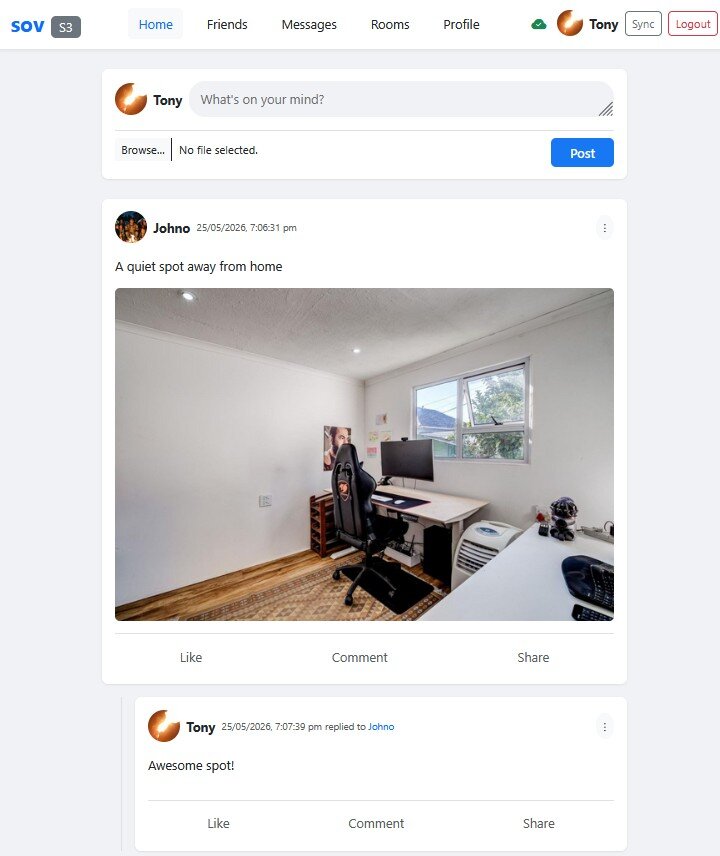
<p>A decentralized social network with messaging and feeds.
<img src="/images/2026/05/25/SovereignS3nc-opt.jpg" alt="Social Demo" /></p>

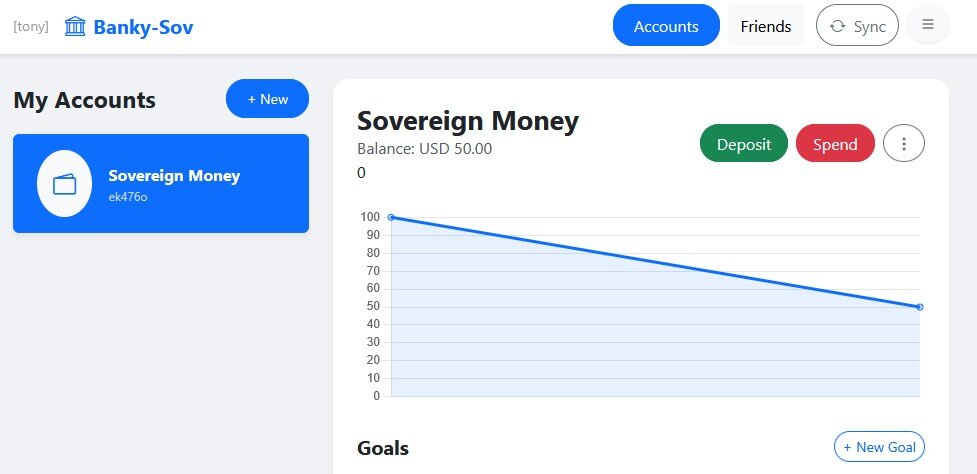
<h3 id="social-bank-banky">Social Bank (Banky)</h3>
<p>A transaction tracker that I actually use for my children’s bank accounts.
<img src="/images/2026/05/25/Banky-opt.jpg" alt="Banky" /></p>

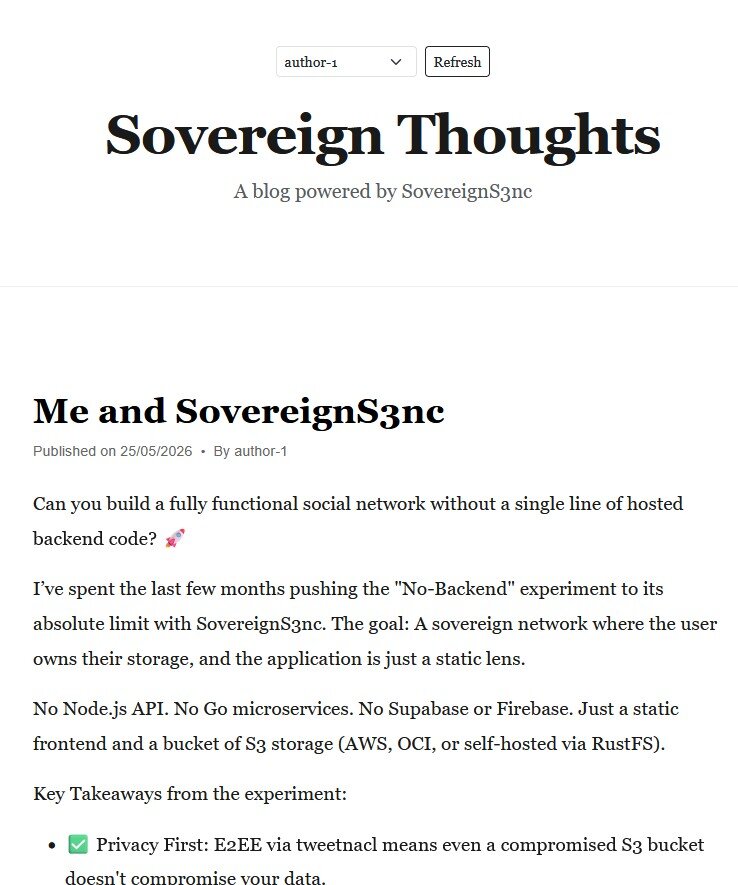
<h3 id="social-blog">Social Blog</h3>
<p>A decentralized blogging platform.
<img src="/images/2026/05/25/Blog-opt.jpg" alt="Social Blog" /></p>

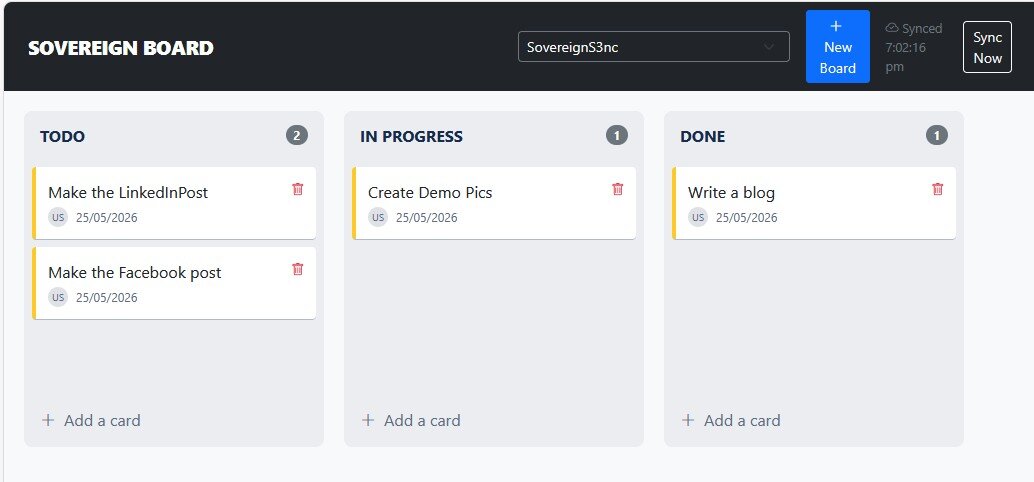
<h3 id="social-board">Social Board</h3>
<p>A shared message board for distributed teams.
<img src="/images/2026/05/25/SovereignBoard-opt.jpg" alt="Social Board" /></p>

<p>All of these are currently at an Alpha/Beta level and demonstrate that for many use cases, the “no-backend” approach is not just a pipe dream.</p>

<h2 id="lessons-learned--the-path-forward">Lessons Learned &amp; The Path Forward</h2>

<p>In the end, SovereignS3nc is a perfect library for creating flexible, usable stores for personal privately hosted applications. For me, it’s the ideal way to host quick apps that I only access via a VPN.</p>

<p>I believe there’s still a gap in the web standards for a native authentication mechanism that can dynamically build access rights on the server side via S3 APIs. The “real” version of this concept is likely close to something like <strong>Supabase</strong>. To move SovereignS3nc forwards to something production ready, the next step would be integrating an identity provider and a minimal server to handle user registration and ACLs.</p>

<p>It was a great exercise in taking a concept to its logical extreme. I particularly love the idea of “pop-up” local networks—networks that exist only for a specific event, hosted entirely on the participants’ own S3 buckets.</p>

<p>How do you keep control without a server? How do you handle access control? I have some answers around encryption and security, but definitely still have a few unanswered questions still too.</p>

<p>Check out the <a href="https://github.com/tonym128/SovereignS3nc">SovereignS3nc GitHub page</a> if you want to dive into the code.</p>]]></content><author><name>tonym128</name></author><summary type="html"><![CDATA[How far can you go with just S3 and zero hosted compute? Pushing the limits of sovereign networks with SovereignS3nc.]]></summary></entry><entry><title type="html">Debugging the Novel: How I Built a 9-Book Cyberpunk Series with AI</title><link href="https://tonym128.github.io/2026/04/25/debugging-the-novel-how-i-built-a-9-book-cyberpunk-series-with-ai.html" rel="alternate" type="text/html" title="Debugging the Novel: How I Built a 9-Book Cyberpunk Series with AI" /><published>2026-04-25T10:00:00+00:00</published><updated>2026-04-25T10:00:00+00:00</updated><id>https://tonym128.github.io/2026/04/25/debugging-the-novel-how-i-built-a-9-book-cyberpunk-series-with-ai</id><content type="html" xml:base="https://tonym128.github.io/2026/04/25/debugging-the-novel-how-i-built-a-9-book-cyberpunk-series-with-ai.html"><![CDATA[<h1 id="debugging-the-novel-how-i-built-a-9-book-cyberpunk-series-with-ai">Debugging the Novel: How I Built a 9-Book Cyberpunk Series with AI</h1>

<blockquote>
  <p><strong>Status:</strong> Published<br />
<strong>Genre:</strong> Cyberpunk / Tech-Noir / Non-Fiction<br />
<strong>Tags:</strong> #AIWriting #LLM #CreativeProcess #Cyberpunk #SoftwareEngineering</p>
</blockquote>

<hr />

<div style="display: flex; justify-content: center;">
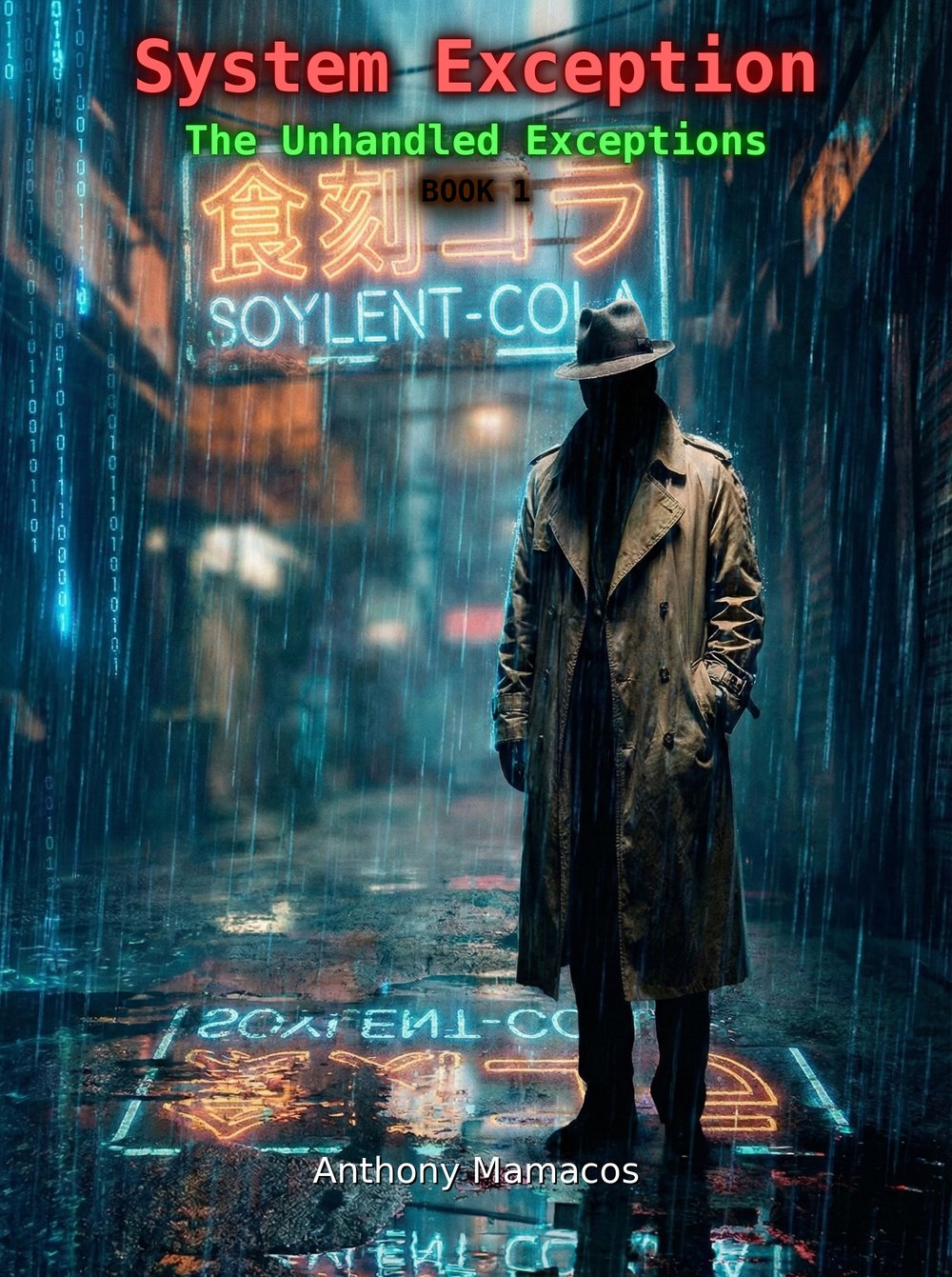
  <img src="/images/2026/04/1_titled-opt.jpg" width="50%" alt="System Exception - Unhandled Exceptions Book 1 Cover" />
</div>

<h2 id="abstract">Abstract</h2>

<p>As a programmer, my relationship with AI has mostly been about source code, building applications, refactoring functions or hunting down race conditions. Recently, I found myself craving a very specific story: a humorous, sprawling, world-spanning cyberpunk detective noir. I decided to see if I could build it.</p>

<p>What started as a weekend experiment in “creative prompting” turned into a massive project: <strong>The Unhandled Exceptions</strong>, a nine-book series. Along the way, I learned that writing a book with an LLM isn’t just about asking it to “write a story”, it’s about system architecture, context management, and a surprising amount of manual “Meatspace” formatting.</p>

<hr />

<h2 id="phase-1-architecting-the-universe">Phase 1: Architecting the Universe</h2>

<p>With AI, writing the prose is easy; building a world is hard. I spent a significant amount of time in the ideation phase. This wasn’t just shouting into a void; it felt like playing a high-stakes Tabletop RPG with the AI.</p>

<p>I created character sheets that functioned like documentation. We traded plot ideas back and forth, I’d provide a prompt, the AI would suggest three directions, and I’d pick the most interesting “bug” to turn into a feature.</p>

<p>To keep the story consistent across nine books, I had to be disciplined with my “source code”:</p>

<ul>
  <li><code class="language-plaintext highlighter-rouge">story.md</code>: Mapped out the overall series arc.</li>
  <li><code class="language-plaintext highlighter-rouge">characters.md</code>: Detailed bios and motivation trackers.</li>
  <li><code class="language-plaintext highlighter-rouge">chapters.md</code>: Granular breakdowns of pacing and plot beats.</li>
  <li><code class="language-plaintext highlighter-rouge">synopsis.md</code>: Book synopsis, story points, and chapter-by-chapter one-liner summaries.</li>
</ul>

<p>I wanted to ensure the <strong>“Context Window”</strong> was always present and optimized. If the LLM forgot that Detective Miller hated “Smart” coffee, the immersion broke. I treated these markdown files as the <strong>“State”</strong> of my application.</p>

<hr />

<h2 id="phase-2-the-factory-floor-generation">Phase 2: The Factory Floor (Generation)</h2>

<p>Once the architecture was solid, we moved to production. For the sake of speed and narrative flow, we generated two chapters at a time.</p>

<p>I set a hard constraint: <strong>20 chapters per book.</strong></p>

<p>Mapping the arc for all nine books before writing a single word of Chapter 1 was the only way to ensure that the “Zero Day” finale in Book 9 actually paid off the breadcrumbs dropped throughout the series.</p>

<hr />

<h2 id="phase-3-the-polish-iterative-editing">Phase 3: The Polish (Iterative Editing)</h2>

<p>The first draft is never the final product. The editing process was an iterative Q&amp;A loop. I’d go through the chapters, identify “hallucinations” or repetitive phrasing, and we’d work together to refactor the prose.</p>

<blockquote>
  <p><em>Note: If I saw “chocolate-chip eyes” one more time, I was going to crash the system.</em></p>
</blockquote>

<p>It was less about fixing typos and more about fixing narrative logic.</p>

<hr />

<h2 id="phase-4-logic-gates--lost-characters">Phase 4: Logic Gates &amp; Lost Characters</h2>

<p>Once all the beats and rough edits were in place, I did a lot of work around book length, chapter lengths and character placement. Building skills to monitor the length of chapters and books. Building skill to identify characters in the books and their impact. Expanding in most cases, but a few times during big edits Gemini would occasionally lose the plot.</p>

<p>In one particular instance I had an entire chapter go missing during an unrelated edit, but thankfully due to diligent source control I was able to go back and retrieve it.</p>

<p>I had to spend a substantial amount of time re-integrating missing characters into the books in cases where they were under-represented.</p>

<p>I have immense respect for the authors I love and this process gave me another group of people to be very respectful to as well, proof readers, editors and layout experts (foreshadowing).</p>

<p>It honestly takes a village to grow from a baby manuscript to a book.</p>

<hr />

<h2 id="phase-5-bridging-the-air-gap-publishing">Phase 5: Bridging the Air-Gap (Publishing)</h2>

<p>I decided early on that I wanted to see what it would take to go from a digital idea to a physical object on a shelf. I chose <strong>Amazon KDP (Kindle Direct Publishing)</strong> for its simplicity.</p>

<p>Amazon handles the heavy lifting: distribution, printing on demand, and providing the necessary ISBNs and ASINs. They take their commission and product fees, which, for a side project like this, felt like a fair trade for the infrastructure they provide.</p>

<h3 id="the-hidden-boss-formatting">The Hidden Boss: Formatting</h3>

<p>If you think writing 180 chapters is hard, try getting page numbers to behave in a 400-page PDF. Formatting took a massive chunk of the post-writing schedule. You have to juggle two different <strong>“build targets”</strong>:</p>

<ol>
  <li><strong>E-book</strong>: Requires an EPUB with specific Amazon-friendly formatting.</li>
  <li><strong>Paperback</strong>: Requires a precisely sized PDF.</li>
</ol>

<p>Things like “Chapter starts on a new page,” “Footnote placement,” and “Page numbering” became my new “segmentation faults.” Even the covers were a challenge, an e-book cover is a simple JPEG, but a print cover is a complex PDF “wrap” that includes the spine width, which changes based on your page count.</p>

<hr />

<h2 id="final-thoughts">Final Thoughts</h2>

<p>Is it “cheating” to write with AI? its definitely different, but I don’t think so. I feel more like a <strong>Director</strong> or a <strong>Lead Architect</strong>. I provided the vision, the constraints, and the “human” soul, while the AI provided the raw processing power to flesh out the world.</p>

<p>I ended up with something I actually wanted to read. And in the process, I gained a massive amount of respect for the technical hurdles that traditional authors face every day.</p>

<hr />

<h2 id="-tips-for-ai-authors">💡 Tips for AI-Authors</h2>

<ul>
  <li><strong>Markdown is your friend.</strong> It’s clean, version-control-friendly, and LLMs understand it perfectly.</li>
  <li><strong>Plan the end first.</strong> If you don’t know the finale of your series and work towards it, the AI will just meander.</li>
  <li><strong>Don’t skip the formatting.</strong> Use the Kindle Desktop Publishing builder, it’s a lifesaver for the cover wraps.</li>
</ul>

<hr />

<p><em>The Unhandled Exceptions first 3 books are available on Amazon. Not bad for a project that started with a “What if?” prompt.</em></p>

<table>
  <thead>
    <tr>
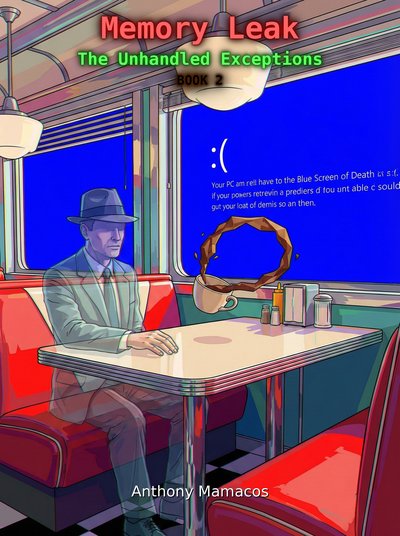
      <th style="text-align: center">Book 1 - System Exception</th>
      <th style="text-align: center">Book 2 - Memory Leak</th>
      <th style="text-align: center">Book 3 - FATAL ERROR</th>
    </tr>
  </thead>
  <tbody>
    <tr>
      <td style="text-align: center"><a href="https://www.amazon.com/System-Exception-Unhandled-Exceptions-Book-ebook/dp/B0GNMRWSYD"><img src="/images/2026/04/1_titled-opt.jpg" width="200" alt="System Exception Cover" /></a></td>
      <td style="text-align: center"><a href="https://www.amazon.com/Memory-Leak-Unhandled-Exceptions-Book-ebook/dp/B0GS9BSHLD"><img src="/images/2026/04/2_titled-opt.jpg" width="200" alt="Memory Leak Cover" /></a></td>
      <td style="text-align: center"><a href="https://www.amazon.com/gp/product/B0GX2YF9MX"><img src="/images/2026/04/3_titled-opt.jpg" width="200" alt="Fatal Error Cover" /></a></td>
    </tr>
  </tbody>
</table>

<p>And more to come, see you in Neo-Viridia!</p>]]></content><author><name>tonym128</name></author><summary type="html"><![CDATA[How a weekend experiment turned into building a nine-book cyberpunk series using AI and LLMs.]]></summary></entry><entry><title type="html">Sticks of Rage: Scaling Up to a 2D Brawler</title><link href="https://tonym128.github.io/2026/04/24/sticks-of-rage-arduboy.html" rel="alternate" type="text/html" title="Sticks of Rage: Scaling Up to a 2D Brawler" /><published>2026-04-24T10:00:00+00:00</published><updated>2026-04-24T10:00:00+00:00</updated><id>https://tonym128.github.io/2026/04/24/sticks-of-rage-arduboy</id><content type="html" xml:base="https://tonym128.github.io/2026/04/24/sticks-of-rage-arduboy.html"><![CDATA[<h1 id="sticks-of-rage-scaling-up-to-a-2d-brawler">Sticks of Rage: Scaling Up to a 2D Brawler</h1>

<p><img src="/images/2026/05/10/frontscreen-opt.jpg" alt="Front Screen" /></p>

<p>After the success of <em>Stick Fighter</em>, I found myself deeply attached to its core engine. The bone-based skeletal animation system I had engineered for the Arduboy felt like it had more to give. I started wondering: <em>could this be the backbone of a classic 2D brawler?</em></p>

<p>The result is <strong>Sticks of Rage</strong>, an evolution of the <em>Stick Fighter</em> tech stack that transformed a 1v1 fighter into a chaotic, side-scrolling beat ‘em up.</p>

<p>View its game page and play it online <a href="https://community.arduboy.com/t/sticks-of-rage/13420">here</a></p>

<p>Take a look at the source code <a href="https://github.com/tonym128/sticksofrage">here</a></p>

<h2 id="technology-reuse-the-stick-engine">Technology Reuse: The “Stick Engine”</h2>

<p><img src="/images/2026/05/10/fighter-opt.jpg" alt="Fighter Select" /></p>

<p>The animation system migrated to the new project almost seamlessly. By reusing the core skeletal pose data, I was able to hit the ground running. I’ve tentatively dubbed this codebase the “Stick Engine.” While it started as a 1:1 port of the <em>Stick Fighter</em> logic, it has since been heavily refactored to support the more complex demands of a side-scrolling world.</p>

<h2 id="the-evolution-of-the-system">The Evolution of the System</h2>

<p>Taking a 1v1 engine and making a brawler required adding several new layers of depth:</p>

<ul>
  <li><strong>Stat-Based Gameplay:</strong> I introduced a simple RPG-lite stat system for Life, Damage, and Speed. This allowed for diverse character archetypes: big enemies hit harder and have more health but move sluggishly, while smaller ones are fast but frail.</li>
  <li><strong>Parallax Backgrounds:</strong> To give the flat screen a sense of depth, I implemented a layered parallax background system. Even with simple geometric lines, the movement of different layers really sells the “traveling through a city” vibe.</li>
  <li><strong>Plane Movement:</strong> Unlike <em>Stick Fighter</em>, which locked characters to a single horizontal line, <em>Sticks of Rage</em> allows players to move up and down in the plane, opening up the battlefield for strategic positioning.</li>
</ul>

<h2 id="character-dynamics-and-story">Character Dynamics and Story</h2>

<p><img src="/images/2026/05/10/story-opt.jpg" alt="Story Screen" /></p>

<p>I took the nine original characters from <em>Stick Fighter</em> and re-purposed them for this new world. I chose three main protagonists for the player to master, while the remaining six were converted into distinct enemy archetypes. Each playable character now comes with their own intro and outro stories, fleshed out with “boss talk” dialogue that triggers before the big fights.</p>

<h2 id="the-ai-challenge-swarming">The AI Challenge: Swarming</h2>

<p><img src="/images/2026/05/10/gameplay-opt.jpg" alt="Gameplay" /></p>

<p>One of the biggest shifts was moving from 1v1 combat to swarming. Enemies now use a group-based AI, employing different “personalities” to keep the player on their toes. As stages get harder, the swarm density and aggression increase.</p>

<p>However, this came at a cost. The ATMega32U4 is not a powerhouse. Getting multiple enemies, parallax layers, and player combat running simultaneously meant the CPU was constantly on the edge of a collapse. I had to enforce a strict limit: <strong>a maximum of four characters on screen at once.</strong> Keeping the background geometry simple was the only way to squeeze the extra CPU cycles out of the hardware to maintain playability.</p>

<h2 id="the-hardest-part-the-memory-wall">The Hardest Part: The Memory Wall</h2>

<p>The hardest part of this project, once again, was fitting it all in. <em>Sticks of Rage</em> pushed the memory and CPU constraints even further than its predecessor. Every byte saved in the background engine was a byte used for a character stat or a line of story dialogue.</p>

<h2 id="reflecting-on-re-use">Reflecting on Re-use</h2>

<p>Building <em>Sticks of Rage</em> taught me that technical re-use is one of the most rewarding parts of software engineering. Watching a system I built for one purpose evolve to serve a completely different genre—all while staying within the same 8-bit constraints—was an incredible experience.</p>

<p>The game may be simple, but seeing three playable characters roaming a parallax city, battling swarms of enemies, all on a device with less power than a modern calculator? That’s the kind of technical satisfaction that keeps me building on the Arduboy.</p>]]></content><author><name>tonym128</name></author><summary type="html"><![CDATA[How I took the engine from Stick Fighter and evolved it into a full-scale 2D brawler, complete with parallax backgrounds, swarming AI, and a new RPG-lite stat system.]]></summary></entry><entry><title type="html">Stick Fighter: Fighting the Arduboy’s Constraints</title><link href="https://tonym128.github.io/2026/04/23/stick-fighter-arduboy.html" rel="alternate" type="text/html" title="Stick Fighter: Fighting the Arduboy’s Constraints" /><published>2026-04-23T10:00:00+00:00</published><updated>2026-04-23T10:00:00+00:00</updated><id>https://tonym128.github.io/2026/04/23/stick-fighter-arduboy</id><content type="html" xml:base="https://tonym128.github.io/2026/04/23/stick-fighter-arduboy.html"><![CDATA[<h1 id="stick-fighter-fighting-the-arduboys-constraints">Stick Fighter: Fighting the Arduboy’s Constraints</h1>

<p><img src="/images/2026/05/01/start-opt.jpg" alt="Start Screen" /></p>

<p>When I first saw the Arduboy, I was immediately drawn to its charm and simplicity.</p>

<p>Over the years I’ve really enjoyed its community, making games for it and the big library of games available, the small system with its ability to code for so easily and its online community always bring me back for more.</p>

<p>I did however notice a hole in its library: there were no real-time 2D fighting games. This always bugged me, the platform was crying out for a competitive, fluid brawler, and I decided to take on the challenge.</p>

<p>View its game page and play it online <a href="https://community.arduboy.com/t/stick-fighter/13392">here</a></p>

<p>Take a look at the source code <a href="https://github.com/tonym128/stickfighter">here</a></p>

<h2 id="the-vision-vs-the-reality">The Vision vs. The Reality</h2>

<p><img src="/images/2026/05/01/character_select-opt.jpg" alt="Character Select" /></p>

<p>My goal was ambitious: a fast-paced 2D fighter featuring fluid animations, varied moves, and tight gameplay. I wanted something that felt like a simplified <em>Street Fighter</em> but fit into the tiny footprint of the Arduboy’s ATMega32U4.</p>

<p>The development process was a constant tug-of-war between my design aspirations and the hardware’s strict limits. I started with grand ideas of complex combo systems, but ended up with a refined, high-intensity brawler that emphasized spacing and timing, a compromise that arguably made the final game much more enjoyable to play.</p>

<h2 id="sprites-vs-bone-systems-a-deep-dive">Sprites vs. Bone Systems: A Deep Dive</h2>

<p>Early on, I had to make a critical decision: use traditional frame-by-frame sprites or a procedural bone system. Traditional sprites were memory-hungry. Loading multiple frames for different moves for even two characters would have exhausted the flash memory before I even wrote the game loop. I chose a <strong>bone-based skeletal animation system</strong>.</p>

<h3 id="traditional-3d-vs-stripped-down-2d">Traditional 3D vs. Stripped-Down 2D</h3>

<p><img src="/images/2026/05/01/gameplay_far-opt.jpg" alt="Gameplay Far" /></p>

<p>In <strong>traditional 3D animation</strong>, you have a hierarchy of bones, a complex skinning system, and often a root node that controls everything. This requires high-precision floating-point math and substantial RAM.</p>

<p><strong>My system for <em>Stick Fighter</em> takes the exact opposite approach:</strong></p>

<ol>
  <li><strong>No Mesh Skinning:</strong> Stick figures are just lines. I don’t need to skin a mesh, only render lines between endpoints.</li>
  <li><strong>No Root Hips:</strong> Instead of a complex root-node hierarchy, I use a simplified, linear connection chain.</li>
  <li><strong>Fixed Plane:</strong> Because the movement is restricted to a 2D plane, I avoid 3D rotations (quaternions) entirely. Every bone is represented simply by a start position and an angle.</li>
</ol>

<h3 id="simplifying-the-geometry">Simplifying the Geometry</h3>

<p>To avoid the performance hit of complex inverse kinematics (IK), I made two critical trade-offs:</p>
<ul>
  <li><strong>Constant Lengths:</strong> Since we are in 2D, the distance between joints never changes. This means I don’t need to calculate scaling factors. Each bone length is a pre-defined constant.</li>
  <li><strong>Reduced Joint Complexity:</strong> By keeping the hierarchy shallow, I eliminate the need for recursive matrix multiplication.</li>
</ul>

<h3 id="the-mathematical-cheat">The Mathematical “Cheat”</h3>

<p>In <em>Stick Fighter</em>, I use a <strong>forward-looking pose definition</strong>. Each bone’s angle is stored relative to its parent bone. To draw a limb, I take the parent’s world position, add a simplified trigonometric calculation (using a pre-computed sine/cosine lookup table), and draw the line. Because I don’t perform complex matrix inversions or heavy transformations, the math remains manageable even for the Arduboy’s 16MHz processor.</p>

<h2 id="the-technical-hurdle-speed-and-space">The Technical Hurdle: Speed and Space</h2>

<p><img src="/images/2026/05/01/gameplay_close-opt.jpg" alt="Gameplay Close" /></p>

<p>Implementing this on an 8-bit chip is deceptively difficult. I had to ditch standard <code class="language-plaintext highlighter-rouge">float</code> math for fixed-point arithmetic, and build a custom animation engine that could update character positions within the tight frame budget of the Arduboy’s screen refresh. The tooling was another challenge; I had to build a custom animation editor (in SDL) to preview and export these skeletal data structures, essentially building the game’s pipeline from the ground up.</p>

<h2 id="under-the-hood-hitboxes-and-ai">Under the Hood: Hitboxes and AI</h2>

<ul>
  <li><strong>Hit Detection:</strong> To save space, hit detection uses simple Axis-Aligned Bounding Boxes (AABB) relative to the bones. Since the characters are stick figures, I could use their limb vectors to create simple, fast-to-calculate collision zones.</li>
  <li><strong>Enemy AI:</strong> The AI uses a simple Finite State Machine (FSM). It evaluates the distance to the player and decides between aggressive “rush down” states or defensive “spacing” states.</li>
</ul>

<h2 id="everyone-is-a-bunch-of-lines">Everyone is a Bunch of Lines</h2>

<p>To make each character stand out despite being simple stick figures, I developed a modular “head system.”</p>

<p>Instead of drawing a static circle for a head, I designed a set of small geometric primitives—simple line segments and points—that could be configured for each character. By varying the position of these “facial features” (like eye placement, hair spikes, or head accessories) and storing them as a tiny list of offsets, I could give each fighter a distinct silhouette.</p>

<p>Because these were just defined by a few coordinate pairs relative to the head’s bone, this system consumed almost zero additional memory, allowing me to inject unique personality into every character while keeping the animation overhead identical to a standard stick figure.</p>

<h2 id="developing-for-the-desktop-the-sdl-wrapper">Developing for the Desktop: The SDL Wrapper</h2>

<p>To speed up my iteration time, I built a custom SDL wrapper that allowed me to run the game logic directly on Windows. This acted as a virtual development environment for the Arduboy code.</p>

<h3 id="the-pros-rapid-iteration">The Pros: Rapid Iteration</h3>
<ul>
  <li><strong>Faster Compilation:</strong> I could build a binary and test changes in seconds, bypassing the slow build and upload process to the physical microcontroller.</li>
  <li><strong>Rapid Prototyping:</strong> It was invaluable for tweaking “juice” elements—like gravity, character movement speed, or animation frames—allowing me to get the “feel” pixel-perfect with ease.</li>
</ul>

<h3 id="the-cons-the-hardware-disconnect">The Cons: The Hardware Disconnect</h3>
<ul>
  <li><strong>Input Differences:</strong> Keyboard input is fundamentally different from the gamepad and buttons of the Arduboy. I often found myself over-reacting or pulling off combos that were impossible on the real hardware.</li>
  <li><strong>False Sense of Performance:</strong> The biggest trap was the lack of hardware constraints. I could easily blow past the 32KB flash memory limit or the tiny RAM budget without realizing it. On desktop, the game always ran at a perfect 60FPS, leaving me completely unaware that the Arduboy might actually be stuttering or running out of memory.</li>
</ul>

<h3 id="balancing-the-approach">Balancing the Approach</h3>
<p>To mitigate these risks, I adopted a strict “touch-base” policy. I would frequently flash the binary onto the actual console to check performance and memory usage. While emulators or regular hardware testing are necessary, the development speed gains from an SDL wrapper are absolutely worth the extra vigilance. If you pay attention to the hardware constraints, this hybrid workflow is an incredibly powerful tool.</p>

<h2 id="features-dropped-and-lessons-learned">Features Dropped and Lessons Learned</h2>

<p>Not every idea survived. I had plans for complex stage hazards and a multi-tiered background, but they were cut to prioritize the core gameplay loop.</p>

<p>Playing <em>Stick Fighter</em> feels rewarding because of the “juice” added late in development:</p>
<ul>
  <li><strong>Dynamic Zooming:</strong> The camera scales and zooms based on character distance, adding cinematic flair.</li>
  <li><strong>Character Scaling:</strong> Using procedural transformations to emphasize weight.</li>
  <li><strong>Fireballs:</strong> Adding simple projectile physics gave the game the “spacing” element it desperately needed.</li>
</ul>

<h2 id="the-story-and-the-wall">The Story and the “Wall”</h2>

<p><img src="/images/2026/05/01/ladder-opt.jpg" alt="Ladder" /></p>

<p>Despite the technical focus, I wanted the game to have personality. I ended up adding a surprisingly large amount of story text to character introductions, giving each stick fighter their own motivations.</p>

<p>There is a unique kind of fun in developing under extreme constraints. When you hit the “memory wall,” you’re forced to stop adding features and start polishing what you have. You can’t just throw more code at the problem—you have to optimize, rethink, and simplify.</p>

<p><em>Stick Fighter</em> was a masterclass in this philosophy. It was a challenging project, but very rewarding as well.</p>]]></content><author><name>tonym128</name></author><summary type="html"><![CDATA[The story behind building a 2D fighting game for the Arduboy. Tackling bone systems, tight memory limits, and the art of constraint-based game design.]]></summary></entry><entry><title type="html">Axis Rush: High-Speed Cylindrical Racing in Three.js</title><link href="https://tonym128.github.io/2026/03/17/axis-rush-high-speed-cylindrical-racing.html" rel="alternate" type="text/html" title="Axis Rush: High-Speed Cylindrical Racing in Three.js" /><published>2026-03-17T10:00:00+00:00</published><updated>2026-03-17T10:00:00+00:00</updated><id>https://tonym128.github.io/2026/03/17/axis-rush-high-speed-cylindrical-racing</id><content type="html" xml:base="https://tonym128.github.io/2026/03/17/axis-rush-high-speed-cylindrical-racing.html"><![CDATA[<h1 id="axis-rush-tldr">Axis Rush tldr;</h1>

<p>I’ve just released <strong>Axis Rush</strong>, a futuristic arcade racer inspired by the classics like <em>F-Zero</em> and <em>Wipeout</em>. The twist? You’re racing on a giant cylinder, and you can flip between the inside and outside of the track at will to dodge obstacles or find the perfect racing line.</p>

<p>Take a look at the demo page - <a href="https://tonym128.github.io/axis_rush/">Live Demo</a></p>

<p>Take a look at the code - <a href="https://github.com/tonym128/axis_rush">GitHub Repository</a></p>

<p><img src="/images/axis-rush/axis-rush-opt.jpg" alt="Axis Rush main menu showing a futuristic racing craft on a cylindrical track" title="Axis Rush Main Menu" /></p>

<h2 id="the-vision-redefining-the-racing-line">The Vision: Redefining the Racing Line</h2>

<p>In most racers, the “line” is two-dimensional. In <strong>Axis Rush</strong>, its a full 360-degree experience. By allowing players to jump between the <strong>Interior</strong> and <strong>Exterior</strong> of the cylindrical track, I wanted to create a game where spatial awareness is just as important as reflexes.</p>

<p>Flipping to the inside gives you a tighter turn radius but limits your visibility, while the outside offers a grand view of the neon-soaked horizon but leaves you exposed.</p>

<h2 id="features-beyond-the-speed-limit">Features: Beyond the Speed Limit</h2>

<ul>
  <li><strong>Inside/Outside Transition:</strong> Use the <code class="language-plaintext highlighter-rouge">Space</code> bar to phase through the track. It’s not just a visual trick—steering is dynamically inverted while inside to keep the controls intuitive from the player’s perspective.</li>
  <li><strong>Procedural Aesthetics:</strong> Every texture in the game is baked at runtime using <a href="https://github.com/tonym128/texgen">TexGenJS</a>. I used natural language prompts like “neon circuit” and “carbon fiber” to generate GLSL-based textures, keeping the initial bundle size incredibly small.</li>
  <li><strong>High-Inertia Physics:</strong> I implemented a “slippery” steering model with an angular velocity system. It feels less like driving a car and more like piloting a high-speed hovercraft with massive momentum.</li>
  <li><strong>9 Unique Pilots:</strong> From the disgraced military pilot <strong>Axel Rush</strong> to the digital consciousness <strong>Korvath</strong>, each character has a back-story and a signature color that bleeds into their craft’s neon trails.</li>
  <li><strong>Thumping Techno Engine:</strong> The soundtrack isn’t just a static MP3. its a custom-coded Web Audio engine that generates procedural techno beats using oscillators and noise buffers, reacting to your speed.</li>
</ul>

<h2 id="tech-deep-dive-threejs-and-post-processing">Tech Deep Dive: Three.js and Post-Processing</h2>

<h3 id="1-the-cylindrical-coordinate-system">1. The Cylindrical Coordinate System</h3>
<p>Collision detection on a bending, twisting tube is tricky. Instead of standard XYZ coordinates, I used <strong>T-space</strong> (progress along the spline) and <strong>Angle-space</strong> (rotation around the tube). This makes checking if a vehicle is “on the track” or hitting a boost pad a simple 2D range check.</p>

<h3 id="2-post-processing-pipeline">2. Post-Processing Pipeline</h3>
<p>To capture that “retro-futuristic” vibe, I used the <code class="language-plaintext highlighter-rouge">postprocessing</code> library to layer:</p>
<ul>
  <li><strong>Motion Blur:</strong> To emphasize the extreme speeds.</li>
  <li><strong>Chromatic Aberration:</strong> To simulate the visual distortion of a high-G cockpit.</li>
  <li><strong>Pixelation:</strong> A subtle toggle that gives it that late-90s arcade feel.</li>
</ul>

<h3 id="3-dynamic-fov-and-camera-logic">3. Dynamic FOV and Camera Logic</h3>
<p>As you hit boost pads or enter a slipstream, the camera’s Field of View (FOV) warps. It’s a classic trick, but combined with Three.js’s camera shake and a “zoom-in” countdown, it creates a visceral sense of acceleration.</p>

<h2 id="things-i-was-very-happy-with">Things I was very happy with</h2>

<ul>
  <li><strong>The Transition Mechanic:</strong> Getting the camera to smoothly follow the vehicle as it flips from the inside to the outside of the tube without causing motion sickness was a major win.</li>
  <li><strong>TexGen Integration:</strong> Seeing a complex, glowing track texture appear from just a few lines of GLSL and a keyword prompt still feels like magic.</li>
  <li><strong>The Audio Engine:</strong> Generating a convincing “kick drum” and “hi-hat” purely with code was a fun challenge that paid off in a soundtrack that never sounds exactly the same twice.</li>
</ul>

<h2 id="things-i-wasnt-very-happy-with">Things I wasn’t very happy with</h2>

<ul>
  <li><strong>AI Pathfinding:</strong> The AI currently follows a fairly rigid path. While they can dodge obstacles, they don’t yet “think” tactically about flipping inside/outside to overtake the player.</li>
  <li><strong>Collision Response:</strong> High-speed collisions between vehicles can sometimes result in “jitter” if the physics steps aren’t perfectly aligned with the frame rate. I’m looking into implementing a sub-stepping physics loop to smooth this out.</li>
</ul>

<h2 id="whats-next">What’s Next?</h2>

<p>I’m working on a <strong>League Mode</strong> with a persistent leaderboard and potentially a <strong>Track Editor</strong> that allows players to draw their own splines in 3D space.</p>

<p>If you want to try your hand at the 2026 League, head over to the <a href="https://github.com/tonym128/axis_rush">GitHub repo</a> and give it a spin!</p>]]></content><author><name>tonym128</name></author><summary type="html"><![CDATA[Releasing Axis Rush, a futuristic 3D arcade racer built with Three.js featuring cylindrical tracks.]]></summary></entry><entry><title type="html">triangleVision: Real-time Geometric Video Abstraction</title><link href="https://tonym128.github.io/2026/03/08/trianglevision-real-time-geometric-video-abstraction.html" rel="alternate" type="text/html" title="triangleVision: Real-time Geometric Video Abstraction" /><published>2026-03-08T10:00:00+00:00</published><updated>2026-03-08T10:00:00+00:00</updated><id>https://tonym128.github.io/2026/03/08/trianglevision-real-time-geometric-video-abstraction</id><content type="html" xml:base="https://tonym128.github.io/2026/03/08/trianglevision-real-time-geometric-video-abstraction.html"><![CDATA[<h1 id="trianglevision-tldr">triangleVision tldr;</h1>

<p>I built <strong>triangleVision</strong>, a high-performance video processing engine that transforms standard video or live webcam feeds into stylized, artistic triangle meshes in real-time. It uses intelligent point sampling to preserve detail while creating a unique “low-poly” aesthetic.</p>

<p>Take a look at the demo page - <a href="https://tonym128.github.io/triangleVision">Live Demo</a></p>

<p>Take a look at the code - <a href="https://github.com/tonym128/triangleVision">Code</a></p>

<h2 id="the-vision-turning-pixels-into-geometry">The Vision: Turning Pixels into Geometry</h2>

<p>Most video filters operate purely on pixels. <strong>triangleVision</strong> takes a different approach by treating the video frame as a dynamic coordinate space for geometry. The goal was to create a tool that doesn’t just “blur” or “pixelate” but actually re-interprets the visual data through the lens of computational geometry.</p>

<p>By using Delaunay triangulation, the video becomes a living, breathing mesh of interconnected triangles that shift and morph as the underlying scene changes.</p>

<h2 id="features-more-than-just-random-points">Features: More Than Just Random Points</h2>

<p>The magic of triangleVision isn’t just in the triangles themselves, but in how it decides where to place them:</p>

<ul>
  <li><strong>Intelligent Point Sampling:</strong> Instead of a uniform grid, the system uses edge detection (Shi-Tomasi) to place more detail in complex areas and fewer triangles in flat regions.</li>
  <li><strong>Human-Centric Focus:</strong> Integrated HOG and Haar Cascades ensure that faces and human figures retain high fidelity, even in a highly abstracted mesh.</li>
  <li><strong>Motion-Aware Density:</strong> The engine tracks movement, increasing the triangle count in areas with significant action to capture every nuance of motion.</li>
  <li><strong>Custom <code class="language-plaintext highlighter-rouge">.triv</code> Codec:</strong> I designed a bespoke binary format to store triangle data efficiently, allowing for much smaller file sizes than traditional video when storing geometric abstractions.</li>
  <li><strong>Aesthetic Modes:</strong> Beyond the standard mesh, it includes a <strong>Rotoscope</strong> mode for an “ink-and-paint” look and a <strong>Heatmap</strong> mode for technical visualization.</li>
</ul>

<h2 id="tech-deep-dive-python-meets-the-gpu">Tech Deep Dive: Python Meets the GPU</h2>

<h3 id="1-the-processing-pipeline">1. The Processing Pipeline</h3>
<p>The core engine is written in Python, but it relies on <strong>ModernGL</strong> and custom <strong>GLSL shaders</strong> to handle the heavy lifting of rendering. This allows the system to maintain 30+ FPS even while performing complex geometric calculations.</p>

<h3 id="2-high-speed-triangulation">2. High-Speed Triangulation</h3>
<p>We use <strong>SciPy</strong> for the Delaunay triangulation, but to keep things fast, we leverage <strong>Numba</strong> for Just-In-Time (JIT) compilation of our color sampling and data processing loops. This turns bottlenecked Python code into machine-speed execution.</p>

<h3 id="3-multi-threaded-capture">3. Multi-Threaded Capture</h3>
<p>To ensure zero lag in the webcam feed, triangleVision uses a threaded capture system. This decouples the video input from the processing and rendering cycles, preventing any “hitchy” frames during live use.</p>

<h2 id="things-i-was-very-happy-with">Things I was very happy with</h2>

<ul>
  <li><strong>Real-time Performance:</strong> Getting Delaunay triangulation to run at 30+ FPS on 1080p video was a significant hurdle, and seeing it run smoothly is incredibly satisfying.</li>
  <li><strong>The <code class="language-plaintext highlighter-rouge">.triv</code> Player:</strong> The web-based player (JS/HTML) works surprisingly well, proving that the geometric data format is portable across different stacks.</li>
  <li><strong>Stylized Export:</strong> Being able to export the final result back to MP4 or MKV makes it a practical tool for content creators, not just a tech demo.</li>
</ul>

<h2 id="things-i-wasnt-very-happy-with">Things I wasn’t very happy with</h2>

<ul>
  <li><strong>CPU Bottlenecks:</strong> While the rendering is on the GPU, the actual triangulation calculation is still a CPU-heavy task. For ultra-high point counts (10,000+), the frame rate still takes a hit.</li>
  <li><strong>Dependency Chain:</strong> The setup requires a specific set of high-performance libraries (OpenCV, ModernGL, SciPy). I’m looking into ways to package this more easily for non-technical users.</li>
</ul>

<h2 id="whats-next">What’s Next?</h2>

<p>I’m currently experimenting with a <strong>Vulkan-based</strong> implementation of the triangulation itself to move even more of the logic onto the GPU. I also want to add more interactive controls for VJs, such as MIDI support to trigger mesh density and color shifts during live performances.</p>

<p>If you’re into creative coding or computer vision, check out the <a href="https://github.com/tonym128/triangleVision">GitHub repo</a> and let me know what you think!</p>]]></content><author><name>tonym128</name></author><summary type="html"><![CDATA[Building a high-performance web tool that transforms video feeds into stylized, real-time triangle meshes.]]></summary></entry><entry><title type="html">TexGen: Procedural Texture Generation for the Web</title><link href="https://tonym128.github.io/2026/03/04/texgen-procedural-texture-generator.html" rel="alternate" type="text/html" title="TexGen: Procedural Texture Generation for the Web" /><published>2026-03-04T10:00:00+00:00</published><updated>2026-03-04T10:00:00+00:00</updated><id>https://tonym128.github.io/2026/03/04/texgen-procedural-texture-generator</id><content type="html" xml:base="https://tonym128.github.io/2026/03/04/texgen-procedural-texture-generator.html"><![CDATA[<h1 id="texgen-tldr">TexGen tldr;</h1>

<p>I built <strong>TexGen</strong>, a lightweight (~15kb) JavaScript library that leverages GLSL shaders to generate high-quality, procedural textures on the fly, including a natural language interface called “TexGen Words”.</p>

<p>Take a look at the site - <a href="https://tonym128.github.io/texgen/">Live Demo</a></p>

<p>Take a look at the code - <a href="https://github.com/tonym128/texgen">Code</a></p>

<h2 id="the-vision-visuals-with-code-not-bandwidth">The Vision: Visuals with Code, Not Bandwidth</h2>

<p>In the modern web, we often find ourselves shipping megabytes of static assets. <strong>TexGen</strong> was born out of a desire to flip that script. Why ship a 2MB PNG of a brick wall when you can ship a 1KB shader string that generates that same wall (and infinite variations of it) directly on the user’s GPU?</p>

<p>Whether you need static baked images for a UI or real-time animated backgrounds for a game, TexGen provides the primitives to build them without the bandwidth bloat.</p>

<h2 id="features-beyond-just-noise">Features: Beyond Just Noise</h2>

<p>TexGen isn’t just a wrapper for a canvas; its a full-featured texture pipeline:</p>

<ul>
  <li><strong>Live GLSL Editor:</strong> A built-in IDE with real-time feedback and @slider annotations for interactive debugging.</li>
  <li><strong>TexGen Words:</strong> An addon that allows you to synthesize complex textures using natural language. Phrases like “blue fire spiral warp” or “purple plasma vortex” are instantly converted into optimized GLSL.</li>
  <li><strong>PBR Ready:</strong> Native support for Albedo, Normal, Roughness, Metallic, and Ambient Occlusion maps.</li>
  <li><strong>Mobile First:</strong> Adaptive scaling for high-DPI screens and high-precision defaults to ensure consistency across mobile GPUs.</li>
  <li><strong>Infinite Variety:</strong> By tweaking a single seed uniform, you can generate millions of unique assets from a single shader.</li>
</ul>

<h2 id="tech-deep-dive-gpu-accelerated-pipelines">Tech Deep Dive: GPU-Accelerated Pipelines</h2>

<h3 id="1-the-power-of-fbm-and-voronoi">1. The Power of FBM and Voronoi</h3>
<p>At its core, TexGen provides highly optimized GLSL implementations of Fractional Brownian Motion (FBM), Voronoi noise, and standard Perlin noise. These are the building blocks of nature—from the way clouds form to the cracks in a dry lake bed.</p>

<h3 id="2-compact-payloads">2. Compact Payloads</h3>
<p>One of the most powerful features is the URL-based sharing. Because the textures are just code, a complex atmospheric sky can be reduced to a tiny Base64 string. This “Texture Streaming” approach allows for massive world-building with minimal initial load times.</p>

<h3 id="3-asynchronous-baking">3. Asynchronous Baking</h3>
<p>To keep the UI responsive, TexGen supports offloading the generation to Web Workers using <code class="language-plaintext highlighter-rouge">OffscreenCanvas</code>. This ensures that even high-resolution 4K bakes won’t freeze the main thread.</p>

<h2 id="things-i-was-very-happy-with">Things I was very happy with</h2>

<ul>
  <li><strong>TexGen Words Synthesis:</strong> Seeing natural language keywords like <code class="language-plaintext highlighter-rouge">lava</code>, <code class="language-plaintext highlighter-rouge">neon</code>, and <code class="language-plaintext highlighter-rouge">glitch</code> successfully combine into a working shader feels like magic.</li>
  <li><strong>The Example Library:</strong> I managed to pack over 50 built-in examples into the gallery, ranging from “Rusted Hull” to “Infinite Island”.</li>
  <li><strong>The TypeScript Support:</strong> Adding full <code class="language-plaintext highlighter-rouge">.d.ts</code> definitions and a dedicated TypeScript gallery makes the library a joy to use in modern dev environments.</li>
</ul>

<h2 id="things-i-wasnt-very-happy-with">Things I wasn’t very happy with</h2>

<ul>
  <li><strong>GLSL Debugging:</strong> While the editor is great, debugging shader logic is still a hurdle for those not familiar with GPU programming. I’m looking into more “visual node” based editing.</li>
  <li><strong>Precision Quirks:</strong> Even with <code class="language-plaintext highlighter-rouge">highp</code> defaults, some older mobile GPUs still exhibit tiny artifacts in heightmaps that are hard to squash without sacrificing performance.</li>
</ul>

<h2 id="showcase-procedural-power-in-practice">Showcase: Procedural Power in Practice</h2>

<p>To demonstrate the versatility of TexGen, I’ve built a series of interactive demos that push the library to its limits. Each one highlights a different core feature while maintaining an incredibly small footprint.</p>

<table>
  <thead>
    <tr>
      <th style="text-align: left">Project</th>
      <th style="text-align: left">Feature Highlight</th>
      <th style="text-align: left">Built-in Textures</th>
      <th style="text-align: left">Payload Size</th>
    </tr>
  </thead>
  <tbody>
    <tr>
      <td style="text-align: left"><strong><a href="https://tonym128.github.io/texgen/example/typescript_gallery/index.html">TypeScript Gallery</a></strong></td>
      <td style="text-align: left">Type-safe baking &amp; real-time animation</td>
      <td style="text-align: left">5</td>
      <td style="text-align: left">1.1 KB</td>
    </tr>
    <tr>
      <td style="text-align: left"><strong><a href="https://tonym128.github.io/texgen/example/texture_streaming/index.html">Texture Streaming</a></strong></td>
      <td style="text-align: left">Async Web Workers &amp; OffscreenCanvas</td>
      <td style="text-align: left">1</td>
      <td style="text-align: left">1.6 KB</td>
    </tr>
    <tr>
      <td style="text-align: left"><strong><a href="https://tonym128.github.io/texgen/example/multipass_post/index.html">Multi-pass Composition</a></strong></td>
      <td style="text-align: left">Post-processing &amp; effect chaining</td>
      <td style="text-align: left">3</td>
      <td style="text-align: left">1.5 KB</td>
    </tr>
    <tr>
      <td style="text-align: left"><strong><a href="https://tonym128.github.io/texgen/example/platformer/index.html">Ultimate Platformer</a></strong></td>
      <td style="text-align: left">Procedural game assets &amp; backgrounds</td>
      <td style="text-align: left">19</td>
      <td style="text-align: left">5.3 KB</td>
    </tr>
    <tr>
      <td style="text-align: left"><strong><a href="https://tonym128.github.io/texgen/example/maze3d/index.html">3D Maze Explorer</a></strong></td>
      <td style="text-align: left">Real-time animated 3D environments</td>
      <td style="text-align: left">8</td>
      <td style="text-align: left">1.6 KB</td>
    </tr>
    <tr>
      <td style="text-align: left"><strong><a href="https://tonym128.github.io/texgen/example/marble_cube/index.html">3D Marble Cube</a></strong></td>
      <td style="text-align: left">Dynamic portals &amp; face-swapping logic</td>
      <td style="text-align: left">6</td>
      <td style="text-align: left">1.7 KB</td>
    </tr>
    <tr>
      <td style="text-align: left"><strong><a href="https://tonym128.github.io/texgen/example/marble_roller/index.html">Marble Roller</a></strong></td>
      <td style="text-align: left">Physics-based materials &amp; tiling</td>
      <td style="text-align: left">5</td>
      <td style="text-align: left">1.8 KB</td>
    </tr>
    <tr>
      <td style="text-align: left"><strong><a href="https://tonym128.github.io/texgen/example/flight_sim/index.html">Flight Sim</a></strong></td>
      <td style="text-align: left">Infinite landscapes &amp; day/night cycles</td>
      <td style="text-align: left">5</td>
      <td style="text-align: left">3.3 KB</td>
    </tr>
    <tr>
      <td style="text-align: left"><strong><a href="https://tonym128.github.io/texgen/example/card_roguelike/index.html">Card Roguelike</a></strong></td>
      <td style="text-align: left">Seeded UI frames &amp; ornate artwork</td>
      <td style="text-align: left">19</td>
      <td style="text-align: left">4.2 KB</td>
    </tr>
    <tr>
      <td style="text-align: left"><strong><a href="https://tonym128.github.io/texgen/example/solitaire/index.html">Procedural Solitaire</a></strong></td>
      <td style="text-align: left">Realistic paper &amp; felt material textures</td>
      <td style="text-align: left">3</td>
      <td style="text-align: left">1.2 KB</td>
    </tr>
  </tbody>
</table>

<h2 id="try-it-yourself-inline-examples">Try it Yourself: Inline Examples</h2>

<p>You don’t need a heavy engine to start creating. Here are a few ways to talk to TexGen.</p>

<h3 id="1-the-glsl-approach">1. The GLSL Approach</h3>
<p>You can write raw shaders with interactive sliders. Here’s a simple animated plasma:</p>

<div class="language-glsl highlighter-rouge"><div class="highlight"><pre class="highlight"><code><span class="k">uniform</span> <span class="kt">float</span> <span class="n">u_scale</span><span class="p">;</span> <span class="c1">// @slider 1.0, 10.0, 4.0</span>
<span class="k">uniform</span> <span class="kt">float</span> <span class="n">u_speed</span><span class="p">;</span> <span class="c1">// @slider 0.0, 2.0, 0.5</span>

<span class="kt">void</span> <span class="nf">main</span><span class="p">()</span> <span class="p">{</span>
    <span class="kt">vec2</span> <span class="n">st</span> <span class="o">=</span> <span class="n">vUv</span> <span class="o">*</span> <span class="n">u_scale</span><span class="p">;</span>
    <span class="kt">float</span> <span class="n">t</span> <span class="o">=</span> <span class="n">u_time</span> <span class="o">*</span> <span class="n">u_speed</span><span class="p">;</span>
    <span class="kt">float</span> <span class="n">n</span> <span class="o">=</span> <span class="n">fbm</span><span class="p">(</span><span class="n">st</span> <span class="o">+</span> <span class="kt">vec2</span><span class="p">(</span><span class="n">t</span><span class="p">,</span> <span class="n">t</span> <span class="o">*</span> <span class="mi">0</span><span class="p">.</span><span class="mi">4</span><span class="p">),</span> <span class="n">u_scale</span><span class="p">);</span>
    
    <span class="kt">vec3</span> <span class="n">col1</span> <span class="o">=</span> <span class="kt">vec3</span><span class="p">(</span><span class="mi">0</span><span class="p">.</span><span class="mi">0</span><span class="p">,</span> <span class="mi">0</span><span class="p">.</span><span class="mi">2</span><span class="p">,</span> <span class="mi">0</span><span class="p">.</span><span class="mi">5</span><span class="p">);</span>
    <span class="kt">vec3</span> <span class="n">col2</span> <span class="o">=</span> <span class="kt">vec3</span><span class="p">(</span><span class="mi">0</span><span class="p">.</span><span class="mi">0</span><span class="p">,</span> <span class="mi">1</span><span class="p">.</span><span class="mi">0</span><span class="p">,</span> <span class="mi">0</span><span class="p">.</span><span class="mi">8</span><span class="p">);</span>
    <span class="kt">vec3</span> <span class="n">color</span> <span class="o">=</span> <span class="n">mix</span><span class="p">(</span><span class="n">col1</span><span class="p">,</span> <span class="n">col2</span><span class="p">,</span> <span class="n">n</span><span class="p">);</span>
    
    <span class="nb">gl_FragColor</span> <span class="o">=</span> <span class="kt">vec4</span><span class="p">(</span><span class="n">color</span> <span class="o">*</span> <span class="p">(</span><span class="n">n</span> <span class="o">+</span> <span class="mi">0</span><span class="p">.</span><span class="mi">2</span><span class="p">),</span> <span class="mi">1</span><span class="p">.</span><span class="mi">0</span><span class="p">);</span>
<span class="p">}</span>
</code></pre></div></div>

<h3 id="2-texgen-words-natural-language">2. TexGen Words (Natural Language)</h3>
<p>If you’re not a shader expert, you can use <strong>TexGen Words</strong> to describe your vision. Try these phrases in the <a href="https://tonym128.github.io/texgen/example/word_textures/index.html">Word Textures</a> editor:</p>

<ul>
  <li><strong>Lava Flow:</strong> <code class="language-plaintext highlighter-rouge">lava smoke fire hot</code></li>
  <li><strong>Frozen Tundra:</strong> <code class="language-plaintext highlighter-rouge">icy stone marble rough</code></li>
  <li><strong>Digital Glitch:</strong> <code class="language-plaintext highlighter-rouge">neon digital glitch</code></li>
  <li><strong>Mystic Forest:</strong> <code class="language-plaintext highlighter-rouge">forest leaf grass mist</code></li>
  <li><strong>Plasma Vortex:</strong> <code class="language-plaintext highlighter-rouge">purple plasma vortex glow</code></li>
</ul>

<h2 id="where-to-from-here">Where to from here?</h2>

<p>I’m just getting started with TexGen, and there is plenty more on the roadmap:</p>

<ul>
  <li><strong>AI-Assisted Generation:</strong> Further integrating LLMs to help users write custom shader logic from scratch within the editor.</li>
  <li><strong>Node.js CLI:</strong> A dedicated build tool for pre-baking textures as part of a CI/CD pipeline.</li>
  <li><strong>Three.js / Babylon.js Plugins:</strong> Official wrappers to make procedural texture injection as simple as a single line of code.</li>
</ul>

<p>If you’re a game dev or a web artist looking to save some kilobytes, give <a href="https://github.com/tonym128/texgen">TexGen</a> a spin!</p>]]></content><author><name>tonym128</name></author><summary type="html"><![CDATA[Creating TexGen, a lightweight JavaScript library for generating procedural GLSL textures on the fly.]]></summary></entry><entry><title type="html">Sun Runner: High-Speed Polygonal Rail Shooting in the Browser</title><link href="https://tonym128.github.io/2026/03/02/sunrunner-high-speed-polygonal-rail-shooter.html" rel="alternate" type="text/html" title="Sun Runner: High-Speed Polygonal Rail Shooting in the Browser" /><published>2026-03-02T11:00:00+00:00</published><updated>2026-03-02T11:00:00+00:00</updated><id>https://tonym128.github.io/2026/03/02/sunrunner-high-speed-polygonal-rail-shooter</id><content type="html" xml:base="https://tonym128.github.io/2026/03/02/sunrunner-high-speed-polygonal-rail-shooter.html"><![CDATA[<h1 id="sun-runner-tldr">Sun Runner tldr;</h1>

<p>I built a high-speed, polygonal rail shooter where you pilot a sleek craft through a relentless descent into a stylized sun, all contained within a single HTML file.</p>

<p>Take a look at the site - <a href="https://tonym128.github.io/SunRunner/">Live Demo</a></p>

<p>Take a look at the code - <a href="https://github.com/tonym128/SunRunner">Code</a></p>

<h2 id="the-vibe-cybernetic-solar-descent">The Vibe: Cybernetic Solar Descent</h2>

<p>Continuing the “Vibe Coding” journey that started with <a href="/_posts/2025-12-07-peakylight-chasing-shadows.markdown">Peakylight</a>, <a href="/_posts/2026-02-23-aussie-meme-boss-rush.markdown">Aussie Meme Boss Rush</a>, and the recent <a href="/_posts/2026-03-04-texgen-procedural-texture-generator.markdown">TexGen</a>, <strong>Sun Runner</strong> is my latest exploration into what’s possible with modern WebGL and a “single-file portable” philosophy.</p>

<p>The goal was to capture the essence of classic rail shooters like <em>Star Fox</em> or <em>Rez</em>, but with a modern, high-contrast aesthetic—think deep magentas, vibrant cyans, and a persistent wireframe grid that makes you feel like you’re diving into the heart of a digital star.</p>

<h2 id="gameplay-the-elemental-arsenal">Gameplay: The Elemental Arsenal</h2>

<p>In Sun Runner, survival isn’t just about dodging; its about mastering the elements. As you descend, you collect Earth, Water, Wind, and Fire cores that unlock devastating weapon configurations:</p>

<ul>
  <li><strong>Firestorm:</strong> Rapid-fire solar flares.</li>
  <li><strong>Mud Slide:</strong> Slows enemies with heavy gravitational anchors.</li>
  <li><strong>Dust Devil:</strong> A swirling vortex of kinetic energy.</li>
  <li><strong>Chrono-Blink:</strong> A warp-dodge with I-frames that allows you to phase through incoming fire.</li>
</ul>

<p>And when things get truly desperate, the <strong>Core Bomb</strong> provides a screen-clearing blast and a few seconds of precious invulnerability.</p>

<h2 id="tech-deep-dive-performance-in-a-single-file">Tech Deep Dive: Performance in a Single File</h2>

<p>One of the strict constraints I set for this project was <strong>Single-File Portability</strong>. The entire engine, assets (procedural), and logic are packed into <code class="language-plaintext highlighter-rouge">index.html</code>.</p>

<h3 id="1-procedural-environment-generation">1. Procedural Environment Generation</h3>
<p>To keep the file size low and the gameplay infinite, the terrain and obstacles are generated procedurally using Three.js. I utilized <code class="language-plaintext highlighter-rouge">MeshPhongMaterial</code> with <code class="language-plaintext highlighter-rouge">flatShading: true</code> to achieve that iconic low-poly look without the need for heavy textures.</p>

<h3 id="2-object-pooling">2. Object Pooling</h3>
<p>Bullet-hell games are notorious for creating thousands of objects, which can lead to garbage collection stutters. Sun Runner uses a robust object pooling system for projectiles, enemies, and particle effects, ensuring a consistent 60 FPS even on mobile devices.</p>

<h3 id="3-stateless-utility-systems">3. Stateless Utility Systems</h3>
<p>The collision detection and weapon mapping are handled by static utility classes. This not only makes the code cleaner but also allows for rigorous testing using Vitest, ensuring that the “math” behind the magic stays solid.</p>

<h2 id="things-i-was-very-happy-with">Things I was very happy with</h2>

<ul>
  <li><strong>The Aesthetic:</strong> The combination of <code class="language-plaintext highlighter-rouge">Fog Exp2</code> and the high-contrast palette creates an incredible sense of speed and scale.</li>
  <li><strong>Controls:</strong> Implementing a “follow cursor” mechanic that feels responsive on both mouse and touch was a major win. The Chrono-Blink feels especially satisfying to pull off.</li>
  <li><strong>The Soundtrack:</strong> Similar to my previous projects, the procedural audio provides a reactive synth-wave backdrop that scales with the action.</li>
</ul>

<h2 id="things-i-wasnt-very-happy-with">Things I wasn’t very happy with</h2>

<ul>
  <li><strong>Difficulty Spike:</strong> The boss encounters can get a bit “bullet-hell” very quickly. I might need to implement a dynamic difficulty scaler based on player performance.</li>
  <li><strong>Mobile UI:</strong> While the gameplay works great on mobile, some of the HUD elements can feel a bit crowded on smaller screens.</li>
</ul>

<h2 id="where-to-from-here">Where to from here?</h2>

<p>Sun Runner is a technical demonstration of what can be achieved when you strip away the bloat of modern web frameworks and focus on the core experience. Moving forward, I’m looking at:</p>

<ul>
  <li><strong>The “Shadow Realm” Update:</strong> A secondary dimension you can phase into for extra points.</li>
  <li><strong>Global Leaderboards:</strong> Because what’s a high-score game without competition?</li>
  <li><strong>Persistent Upgrades:</strong> Spending “Solar Credits” to customize your ship’s starting loadout.</li>
</ul>

<p>If you’re interested in the math behind the procedural generation or the specifics of the Three.js optimization, check out the <a href="https://github.com/tonym128/SunRunner">GitHub repo</a>.</p>

<p>See you in the Sun!</p>]]></content><author><name>tonym128</name></author><summary type="html"><![CDATA[Developing Sun Runner, a high-speed polygonal rail shooter contained entirely within a single HTML file.]]></summary></entry><entry><title type="html">Aussie Meme Boss Rush: Vibe Coding the Great Cyber-Outback</title><link href="https://tonym128.github.io/2026/02/22/aussie-meme-boss-rush.html" rel="alternate" type="text/html" title="Aussie Meme Boss Rush: Vibe Coding the Great Cyber-Outback" /><published>2026-02-22T10:00:00+00:00</published><updated>2026-02-22T10:00:00+00:00</updated><id>https://tonym128.github.io/2026/02/22/aussie-meme-boss-rush</id><content type="html" xml:base="https://tonym128.github.io/2026/02/22/aussie-meme-boss-rush.html"><![CDATA[<h1 id="aussie-meme-boss-rush-tldr">Aussie Meme Boss Rush tldr;</h1>

<p><img src="/images/2026/02/23/aussie-meme-rush-opt.jpg" alt="Aussie Meme Boss Rush main interface showing a neon-drenched 3D boss fight" title="Aussie Meme Boss Rush Main Interface" /></p>

<p>I made a high-octane, neon-drenched 3D boss rush shooter where you face off against cybernetic versions of Australia’s most infamous wildlife memes!</p>

<p>Take a look at the site - <a href="https://tonym128.github.io/Aussie-Meme-Boss-Rush/">Live Demo</a></p>

<p>Take a look at the code - <a href="https://github.com/tonym128/Aussie-Meme-Boss-Rush">Code</a></p>

<h2 id="lets-talk-about-the-vibe">Let’s talk about the “Vibe”.</h2>

<p>After the success of <a href="/_posts/2025-12-07-peakylight-chasing-shadows.markdown">Peakylight</a>, I wanted to see if I could push the “Vibe Coding” methodology even further—this time into the realm of 3D gaming. I had a vision of a dystopian future where the “Bogans.exe” virus was threatening the global network, and only one thing stood in its way: a browser-based shooter featuring a Cyber Emu.</p>

<h2 id="the-big-five">The Big Five</h2>

<p>The core of the game is a series of boss battles against “The Big Five.” Each one is a cybernetic interpretation of an Australian icon:</p>

<ol>
  <li><strong>Drop Bear:</strong> The classic ambush predator, now with more neon.</li>
  <li><strong>Cyber Emu:</strong> Fast, flightless, and surprisingly resilient to laser fire.</li>
  <li><strong>Magpie Drone:</strong> It doesn’t just swoop; it scans.</li>
  <li><strong>Cyber Huntsman:</strong> Too many legs, all of them glowing.</li>
  <li><strong>K-9000 Roo:</strong> The ultimate outback guardian.</li>
</ol>

<p>Each boss features <strong>Soft Body Physics</strong>, meaning when you finally take them down, they don’t just disappear—they flail in glorious slow-motion ragdoll physics before exploding into a shower of confetti.</p>

<h2 id="tech-deep-dive-making-it-sing">Tech Deep Dive: Making it “Sing”</h2>

<p>One of my goals for this project was to keep it entirely self-contained. The entire game—logic, 3D models (procedurally generated), and audio—lives in a <strong>single HTML file</strong>.</p>

<h3 id="1-threejs--procedural-shaders">1. Three.js &amp; Procedural Shaders</h3>
<p>Instead of loading heavy textures, I used procedural shaders to create the “neon-noir” aesthetic. This keeps the initial load time near-instant and ensures it runs smoothly on both my desktop and my phone.</p>

<h3 id="2-procedural-audio-web-audio-api">2. Procedural Audio (Web Audio API)</h3>
<p>I didn’t want to deal with MP3 files, so I used the Web Audio API to generate real-time synth basslines. The music actually reacts to the game state, intensifying as you get closer to deleting a boss. It’s amazing what you can do with a few oscillators and a dream.</p>

<h3 id="3-star-wars-style-scrollers">3. Star Wars-Style Scrollers</h3>
<p>To give it that “Deluxe” feel, I added cinematic story scrollers for the mission briefings. It adds that extra layer of polish that makes a “side project” feel like a “product.”</p>

<h2 id="things-i-was-very-happy-with">Things I was very happy with</h2>

<ul>
  <li><strong>Mobile Accessibility:</strong> Getting the controls to feel right on both a mouse and a touch screen was a challenge, but using a dual-finger/on-screen button setup for the shield worked out better than I expected.</li>
  <li><strong>The Physics:</strong> Watching a Cyber Emu tumble through a neon forest in ragdoll mode is surprisingly satisfying.</li>
  <li><strong>The Workflow:</strong> Using Gemini CLI to iterate on the physics and shader logic allowed me to focus on the “fun” parts of the game design while the AI handled the heavy lifting of the WebGL math.</li>
</ul>

<h2 id="things-i-wasnt-very-happy-with">Things I wasn’t very happy with</h2>

<ul>
  <li><strong>UI Scaling:</strong> In very specific portrait orientations on older phones, the score multiplier can sometimes overlap with the health bar. its a minor “bogan” in the system, but something I’ll need to patch.</li>
  <li><strong>Performance on Low-End Devices:</strong> While Three.js is efficient, the soft-body calculations can get heavy on older mobile hardware. I might need to add a “Low Detail” mode similar to what I did for Peakylight.</li>
</ul>

<h2 id="where-to-from-here">Where to from here?</h2>

<p>The “Aussie Meme Boss Rush” is currently in its “3D Story Deluxe” phase, but the outback is a big place. I’ve already had thoughts about:</p>
<ul>
  <li><strong>The Bin Chicken Expansion:</strong> A secret level featuring a cybernetic Ibis.</li>
  <li><strong>Power-up System:</strong> Collecting “Meat Pies” to boost your fire rate.</li>
  <li><strong>Global Leaderboards:</strong> To see who the true Cyber-Operator is.</li>
</ul>

<p>This project further cements my belief that “Vibe Coding” isn’t just for prototypes. It’s a way to quickly bridge the gap between “I have a weird idea about a robot kangaroo” and “Here is a playable 3D game.”</p>

<p>Stay tuned for more updates, and remember: Watch the skies for Magpie Drones.</p>]]></content><author><name>tonym128</name></author><summary type="html"><![CDATA[Behind the scenes of Aussie Meme Boss Rush, a neon-drenched 3D web shooter built using Vibe Coding.]]></summary></entry></feed>