Promptyly tldr;
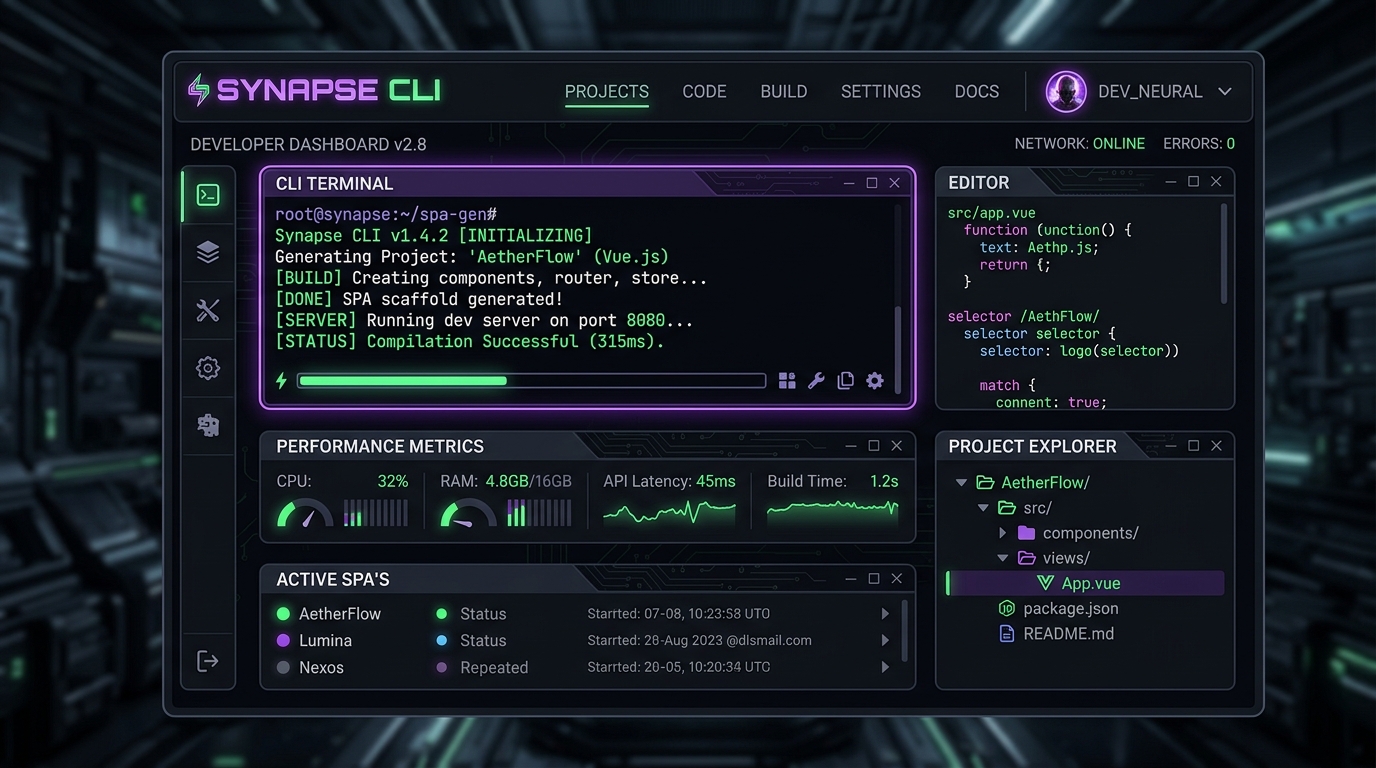
I built a cross-platform command-line tool and local server that lets you turn prompts into single-page web applications instantly. They run locally, they have automatic Git version control, hot reloading, a built-in state database, and can be easily shared or published.
Take a look at the code - Code or watch the Intro Video
After going deep into AI-driven generation and building things like Peakylight, I realized that the loop of typing prompts into a browser chat window, copy-pasting code into a local file, and refreshing the page was driving me crazy.
So, I decided to build a developer tool to make vibe coding feel truly native.
Special Thanks: A huge thank you to Mr Bob for his beta testing and ideation!
The Problem: The Copy-Paste Loop of Doom

AI models (Gemini, Claude, GPT-4o) are amazing at spitting out complete HTML pages containing CSS, Javascript, and fully functional interactive mockups.
But actually working on them is a drag:
- You prompt the LLM: “Write me a Pomodoro timer with ambient rain sounds.”
- It outputs 400 lines of HTML/JS/CSS.
- You copy it, create
index.html, paste it, double-click it. It looks good! - You want to make a change: “Add a dark mode toggle and task list.”
- It outputs another 500 lines. You copy it, select all, paste it, refresh.
- The styling broke, or a script failed, and now you have no version history to see what changed.
The developer-to-editor feedback loop is broken when you’re writing code through chat windows. There’s no history, no easy local state, and no hot reloading. I wanted to build a “Neuralink” for my local project folder.
The Approach: A Custom Deep Link Protocol & Local Server

I decided to write Promptyly in Go. Why Go? Because I wanted a single, lightweight binary that starts instantly and can handle background servers, custom OS protocols, and git operations without dragging in a heavy runtime.
Here’s how the stack works:
1. The custom prompt:// scheme
Promptyly registers a custom protocol handler with the OS (macOS, Windows, and Linux). Clicking a link like prompt://create?prompt=Sleek+Calculator launches the local promptyly CLI, parses the arguments, and fires up the generation pipeline automatically.
2. Git-Backed Generations
Every app you create is initialized in ~/promptyly-apps/<slug> as a local Git repository. Every time you issue an edit instruction via the CLI terminal, the new code is generated, written to disk, and committed to Git automatically. If the model goes off the rails, you can easily check git diff or rollback.
3. Injected SSE Hot Reloading
We serve all apps concurrently on a single port (6071) at http://localhost:6071/apps/<name>/. The server automatically injects a tiny Server-Sent Events (SSE) listener script into the HTML header. The second the CLI completes an LLM edit, it pings the SSE client, and the page refreshes in the browser instantly.
4. Zero-Config State API
Instead of spinning up a backend (Node, Go, Supabase) for every tiny utility app, Promptyly hosts a built-in JSON database endpoint at _promptyly/api/db that maps to .promptyly/db.json in the app’s folder. The frontend can read and write state simply using standard client-side fetch calls.
5. Local CLI, Remote Serving & Built-in Tunnelling
Promptyly operates as a local CLI communicating with a background service/hosted daemon (running locally on port 6071). For publishing and exploring other developers’ creations, Promptyly connects to a remote registry server hosting a public website on port 6072 (the Sharing Registry). If you want to share a local app with a remote user without publishing it publicly first, Promptyly provides built-in Cloudflare Tunneling to securely expose the local instance via a public URL. The tunneling architecture is modular, meaning it can be easily configured to use alternatives like ngrok or DynDNS.
The Learnings
Building this taught me a few major lessons:
- OS Deep Linking is a Maze: Setting up deep links sounds easy until you try to support macOS (
plistassociations), Linux (xdg-settingsand desktop entries), and Windows (Registry Keys). They all handle parameters differently, and testing the edge cases took a significant chunk of time. - Local Coding Models are Legit: I built an option to automatically download and run Qwen2.5-Coder-1.5B in
llamafileformat locally. It runs smoothly on a standard laptop with only 4GB RAM, letting you write and edit apps completely offline without paying for API keys. - Vibe-first UX matters: Running an interactive terminal prompt loop directly alongside a hot-reloaded browser tab completely changes the experience. It feels like an extension of your own environment rather than a generic chat page.
The Good

- Frictionless Workflow: The speed is incredible. You type
.create "sleek expense tracker", the browser pops open, and within seconds the app is live. If something needs tweaking, you just type it in the terminal (promptyly> add export to CSV) and watch it update. - Portable and Packaged: Because the local JSON database resides inside the app’s folder, you can run
promptyly export <name>to bundle the entire project (code, git history, and your actual data/state) into a single.zipfile. Your friends can import it and it works instantly with the database intact. - Promptyly Hub: Serving a beautiful dark-mode dashboard at
http://localhost:6071that lists all your generated apps, their creation prompts, and metadata makes managing local projects very clean.
The Bad

- The Single-Writer DB Bottleneck: While the local JSON database works wonders for private local tools, it doesn’t scale. If you publish your app to the public Sharing Registry (port
6072), multiple users writing to a single JSON file will immediately hit conflicts. - Browser Sandbox & Protocol Prompts: Every time the browser tries to trigger a deep link, it pops up a warning dialogue asking for permission to open Promptyly. It’s a security feature, but it slightly breaks the smooth “web-to-desktop” magic.
- Windows File Locking: Upgrading the Go binary on the fly is tricky on Windows because running executables are locked. I had to write a PowerShell loopback script that waits for the CLI process to terminate before hot-swapping the executable.
The Conclusion
Promptyly is the developer’s scratchpad I’ve always wanted. It bridges the gap between high-level prompt engineering and local system control.
Instead of configuring configurations, downloading massive npm modules, and spending half an hour setting up boilerplate code for a weekend project, I can just prompt my way to a functional tool in under a minute.
The Future

Right now, Promptyly edits single files sequentially. The next step is introducing Agentic Team Collaboration (similar to what tools like Antigravity do), allowing multiple specialized LLM subagents to edit complex layouts, write tests, and interact with directories in parallel.
I also want to introduce native multi-page routing templates and a standard authentication helper to secure shared registry apps out of the box.
If you want to play around with it, deployment is simplified: you can host the pre-built Docker container for the server/registry and install the local CLI to interact with it. Check out the Promptyly GitHub to get started!